9 Best Expense Report Software of 2026
By the KeenVerdict research desk · Updated November 27, 2026 · Next review January 11, 2027 · 9 products scored
 Our pickExpensifysmall and midsize teams that want a flat price per member9.1
Our verdict
Pick Expensify if you want one flat price, unlimited receipt scanning and QuickBooks or Xero sync without changing your company cards. Pick Zoho Expense if cost per filer matters most: 3 users are free, then $3 per user per month on annual billing, with 200 receipt scans per user each month. Pick Ramp only if your company qualifies for its corporate charge card and you are happy to route spend through it. Sage Expense Management (formerly Fyle) is the strongest choice for finance teams that want real-time policy checks on existing Visa, Mastercard and Amex cards, and SAP Concur makes sense when unlimited users and per-report billing fit better than per-seat pricing.
The short answer
Expensify is the best software for employee expense reports in 2026, because every plan includes unlimited SmartScan receipt scanning and its Collect plan adds reimbursements, approvals and QuickBooks or Xero sync for a flat $5 per member per month. Zoho Expense is the cheapest paid option at $3 per user per month billed annually and is free for up to 3 users, while Ramp suits US companies willing to move spend onto its card, since its $0 Free plan matches receipts to card charges automatically. Prices were checked on each vendor's own pages in November 2026.
This list is for employees who are tired of taping receipts to spreadsheets and for the finance or operations people who approve and pay back those claims. We ranked 9 products on four things that decide how fast a report moves from receipt to reimbursement: how well the app reads a receipt photo (OCR), whether policy rules flag problems before a manager sees the report, how approvals are routed, and what one filer costs per month. On November 27, 2026 we reopened every vendor's pricing page and compared documented features and published USD prices; we did not run hands-on tests. The overall score weighs features at 40 percent, ease of use at 30 and value at 30. Corporate card platforms are included where their free tier covers expense reporting, but read the buying guide first if you want to keep your current cards.
At a glance
| Rank | Product | Best for | Price | Score |
|---|---|---|---|---|
| 1 | Expensify | small and midsize teams that want a flat price per member | $5 per member per month; free plan | 9.1 |
| 2 | Ramp | US companies ready to put spend on a company card | $15 per user per month, plus platform fee; free plan | 9.0 |
| 3 | Zoho Expense | small businesses on a tight per-user budget | $3 per user per month; free plan | 9.0 |
| 4 | Sage Expense Management (formerly Fyle) | accounting teams keeping existing Visa, Mastercard or Amex cards | $11.99 per active user per month | 8.6 |
| 5 | Brex | growing companies with entities outside the US | $12 per user per month; free plan | 8.5 |
| 6 | Navan | companies where travel drives most expense reports | $15 per expensing user per month; free plan | 8.5 |
| 7 | SAP Concur | larger companies with many occasional filers | $7 per expense report | 8.1 |
| 8 | Rydoo | teams of 5 or more filing across several countries | $9 per user per month | 8.0 |
| 9 | Emburse Professional | midsize organizations that want guided implementation | Price not listed | 7.7 |
By the numbers
- 59%59% of US small businesses had invoices overdue by 30 days or more in the QuickBooks 2026 Small Business Late Payments Report, up from 47% a year earlier.Source: Intuit QuickBooks
- 22%Late payments affected an average of 22% of B2B receivables at US businesses in Atradius' 2026 survey.Source: Atradius
- 41.08%Among small EU enterprises (10 to 49 employees), 41.08% used ERP software in 2025, against 69.93% of medium and 88.71% of large enterprises.Source: Eurostat
- 46%46% of US employer firms said the business or its employees currently used AI in the Federal Reserve Banks' 2025 Small Business Credit Survey, and another 15% planned to start within 12 months.Source: Federal Reserve Banks
- 58%58% of US small businesses said they used generative AI in the U.S. Chamber of Commerce's 2025 survey, up from 40% in 2024 and 23% in 2023.Source: U.S. Chamber of Commerce
- 54%54% of US business owners skipped or reduced their own pay at least once in the past year to keep employees paid and bills covered, in a QuickBooks survey of 1,305 owners in December 2025.Source: Intuit QuickBooks
How we scored
Every product gets the same three scores out of 10. We compared documented features and published prices; we did not run hands-on tests.
- 40%Features
- 30%Ease of use
- 30%Value
No. 1, our pick
ExpensifyReceipt scanning, expense reports, reimbursements, travel and a company card, with a free plan for individual filers.
9.1of 10Best for small and midsize teams that want a flat price per member
- Features
- 9.2
- Ease of use
- 9.0
- Value
- 9.0
Price
Free Submit plan for individuals; Collect $5 per member per month, month to month; Control from $9 per member with annual commitment and Expensify Card use
Quoted from the Expensify pricing page on November 27, 2026:
$5 per unique member per month Fully month-to-month (no annual contracts)
Expensify is still the tool built most directly around the expense report. Every plan, including the free Submit plan, gets unlimited SmartScan receipt scanning, mileage tracking and report creation, and an employee on Submit can send a report to a boss who has no Expensify account. Collect, at $5 per member per month with no annual contract, adds reimbursements, a single approval flow, corporate card management, travel booking and QuickBooks Online or Xero sync. Policy flags cover missing receipts, amounts over a limit, aging expenses and prohibited receipt line items. The catch is in the upgrade: multi-level approvals, custom rules, ERP sync for NetSuite or Sage Intacct and SAML/SSO need Control, which is $9 per active member only with an annual subscription and at least half of US spend on the Expensify Card. Without the card it is $18 annually or $36 pay-per-use, so Control buyers should price carefully.
What works
- +Submit plan is free and lets an employee send reports to a manager who does not use Expensify
- +Collect costs a flat $5 per member per month with no annual contract
- +30-day free trial
What does not
- −Collect bills every unique member on the workspace, active or not
- −Multi-level approvals, custom expense rules and SAML/SSO need Control
- −Control is $18 per member on annual terms without the Expensify Card, and $36 pay-per-use
- Free plan
- Submit, for individual filers
- Entry paid plan
- Collect, $5 per member per month
- Receipt scanning
- Unlimited SmartScan on all plans
- Free trial
- 30 days
No. 2
 Ramp
A corporate card and finance platform whose free tier collects and matches receipts to card spend automatically.
9.0of 10Best for US companies ready to put spend on a company card
- Features
- 8.9
- Ease of use
- 8.9
- Value
- 9.2
Price
Free plan at $0 per user per month; Plus $15 per user per month plus a platform fee based on team size; Enterprise custom
Quoted from the Ramp pricing page on November 27, 2026:
AI-powered Plus $15/mo/user + Platform fee based on team size
Ramp approaches the expense report from the card side. When an employee pays with a Ramp card, the Free plan collects and matches the receipt automatically, and the employee can finish the expense by replying to a text message or a Slack prompt, so for card spend there is often no report to file at all. Out-of-pocket reimbursements and configurable approval workflows are included, along with QuickBooks Online and Xero integrations, and spend limits can carry preset accounting codes. Plus, at $15 per user per month plus a platform fee based on team size, adds AI expense reviews, flags for itemized receipts, alcohol and weekend spend, approval routing by GL code or entity, bulk reimbursement review and NetSuite or Sage Intacct sync. Annual billing saves 20 percent. The limit is the card itself: Ramp is a corporate liability charge card, so companies that cannot qualify, or that want to keep an existing bank card program, should look at report-first tools.
What works
- +Free plan has no per-user software fee
- +Receipts are matched to card transactions, so many expenses need no report
- +Plus can lock cards automatically when receipts are not submitted on time
What does not
- −Built around Ramp's corporate liability charge card, which a company has to qualify for
- −Plus adds a platform fee on top of $15 per user
- −Out-of-pocket claims are only part of the product; most features assume card spend
- Free plan
- Yes, $0 per user per month
- Paid plan
- Plus, $15 per user per month plus platform fee
- Annual billing
- Save 20% on Plus
- Card type
- Corporate liability charge card
No. 3
 Zoho Expense
Expense reporting, approvals, reimbursements and travel from Zoho, with a free plan for up to 3 users.
9.0of 10Best for small businesses on a tight per-user budget
- Features
- 8.8
- Ease of use
- 8.8
- Value
- 9.5
Price
Free for up to 3 users; Standard $3 per user per month billed annually ($4 monthly); Premium $5 annually ($6 monthly)
Quoted from the Zoho Expense pricing page on November 27, 2026:
Standard plan: Monthly: $ 4 per user Yearly subscription: $ 3 per user
Zoho Expense gives the lowest published per-user price on this list and a real free tier. The Free plan covers up to 3 users with AI-powered receipt OCR, expense reports, personal card tracking, GPS mileage, accounting integrations, multi-currency expenses and 5 GB of receipt storage. Standard, at $3 per user per month billed annually or $4 monthly, adds itemized receipt capture in 38+ languages, corporate card feeds for Visa and Mastercard, multiple expense policies, cash advances, ACH reimbursements, Slack and WhatsApp integration, and AI audits that detect fraud and alcohol purchases. Premium at $5 annually adds advanced approval management, live budget tracking, multi-entity support and employee travel self-booking. The limit to watch is Autoscan: 20 scans per user per month on Free, 200 on Standard and 1,000 on Premium. Above that, receipts can still be uploaded and entered by hand. Zoho bills users who create expenses or reports, and there is no contract.
What works
- +Free plan for up to 3 users with expense reports and GPS mileage
- +Standard is $3 per user per month on annual billing
- +Pay-as-you-go with no contract; 14-day trial without a credit card
What does not
- −Automatic receipt scans are capped per user per month on every plan
- −Advanced approval management sits in Premium at $5 per user annually
- −ERP and HRMS integrations are an add-on on Standard
- Free plan
- Yes, up to 3 users
- Standard
- $3 per user per month annually, $4 monthly
- Receipt scans on Standard
- 200 per user per month
- Free trial
- 14 days, no credit card
No. 4
 Sage Expense Management (formerly Fyle)
Expense tracking on the cards you already have, with receipts by text message and real-time policy checks.
8.6of 10Best for accounting teams keeping existing Visa, Mastercard or Amex cards
- Features
- 8.7
- Ease of use
- 8.7
- Value
- 8.2
Price
Growth $11.99 per active user per month billed annually (5-user minimum); Business $14.99 (10-user minimum); Enterprise custom
Quoted from the Sage Expense Management (formerly Fyle) pricing page on November 27, 2026:
$ 11.99 per active user*/month, billed annually
Sage Expense Management, sold until recently as Fyle, is built for finance teams that want expense reports without replacing their company cards. It reads live feeds from Visa, Mastercard and American Express cards, texts the employee when a card is used, and lets them reply with the receipt photo. Receipt scanning is unlimited with automated data extraction, and expenses can also be pulled from Gmail and Outlook. The Growth plan, at $11.99 per active user per month billed annually with a 5-user minimum, includes business rules and real-time policy violation checks, mileage and per diem, a universal statement parser and two-way QuickBooks Online and Xero integrations. Approvals on Growth are single-stage. Business, at $14.99 with a 10-user minimum, adds multi-stage and policy-driven approvals, ACH reimbursements in the US, project tracking and multi-entity setup, with a one-time implementation fee for Sage Intacct and Sage 300 integrations. Billing counts only users who create an expense or carry an active card.
What works
- +Bills only active users who create an expense or have an active card
- +Works with existing company cards instead of a new card program
- +Expenses can be tracked from Gmail and Outlook
What does not
- −Growth has single-stage approvals; multi-stage needs Business at $14.99
- −ACH reimbursements (US only) are on Business, not Growth
- −QuickBooks Desktop and Sage Intacct integrations carry extra or implementation fees
- Growth
- $11.99 per active user per month, annual, 5-user minimum
- Business
- $14.99 per active user per month, annual, 10-user minimum
- Receipt scanning
- Unlimited
- Free plan
- No
Visit fylehq.com|Read the full Sage Expense Management (formerly Fyle) review
No. 5
 Brex
Corporate cards, expense management, bill pay and travel with a $0 Essentials plan.
8.5of 10Best for growing companies with entities outside the US
- Features
- 8.4
- Ease of use
- 8.4
- Value
- 8.6
Price
Essentials $0 per user per month; Premium $12 per user per month; Enterprise custom
Quoted from the Brex pricing page on November 27, 2026:
Premium For mid-sized companies looking to scale $12 user/month
Brex treats policy as something enforced at the moment of purchase. On Brex cards, out-of-policy purchases can be blocked automatically, and AI generates receipts, memos and attendee lists, with integrations for Uber, Lyft and Gmail; employees can also text in a receipt. Essentials, at $0 per user per month, includes AI-powered custom rules, reimbursements, accounting integrations, travel booking, bill pay and up to two entities. Premium, at $12 per user per month, is where expense reporting controls deepen: multiple customizable expense policies with category rules and role-based exceptions, dynamic expense review chains, auto-approval rules, AI compliance audit detection, VAT documentation and multi-entity support in the US and abroad. Enterprise adds local card issuance and reimbursements. For approval speed, the auto-approval rules and dynamic chains on Premium do the most work. As with Ramp, the product assumes spend runs on its cards, so a team that mainly reimburses personal-card claims pays for a platform it barely uses.
What works
- +Essentials has no per-user fee and includes reimbursements and bill pay
- +Blocks out-of-policy purchases at the point of sale on Brex cards
- +Up to two entities on Essentials; multi-entity US and international on Premium
What does not
- −Built around Brex cards; report-only teams use a fraction of the product
- −Multiple policies and dynamic approvals need Premium at $12 per user
- −Local card issuance and unlimited entities are Enterprise only
- Free plan
- Essentials, $0 per user per month
- Premium
- $12 per user per month
- Card acceptance
- 210+ countries and territories
- Entities on Essentials
- Up to two (1 global entity)
No. 6
 Navan
Business travel booking and expense management on one platform, free for companies up to 300 employees on the travel side.
8.5of 10Best for companies where travel drives most expense reports
- Features
- 8.6
- Ease of use
- 8.6
- Value
- 8.2
Price
Navan Expense free for the first 5 monthly expensing users, then $15 per user per month; Navan Business travel free up to 300 employees
Quoted from the Navan pricing page on November 27, 2026:
Navan Expense is free for the first 5 monthly expensing users, and then is $15 per user per month.
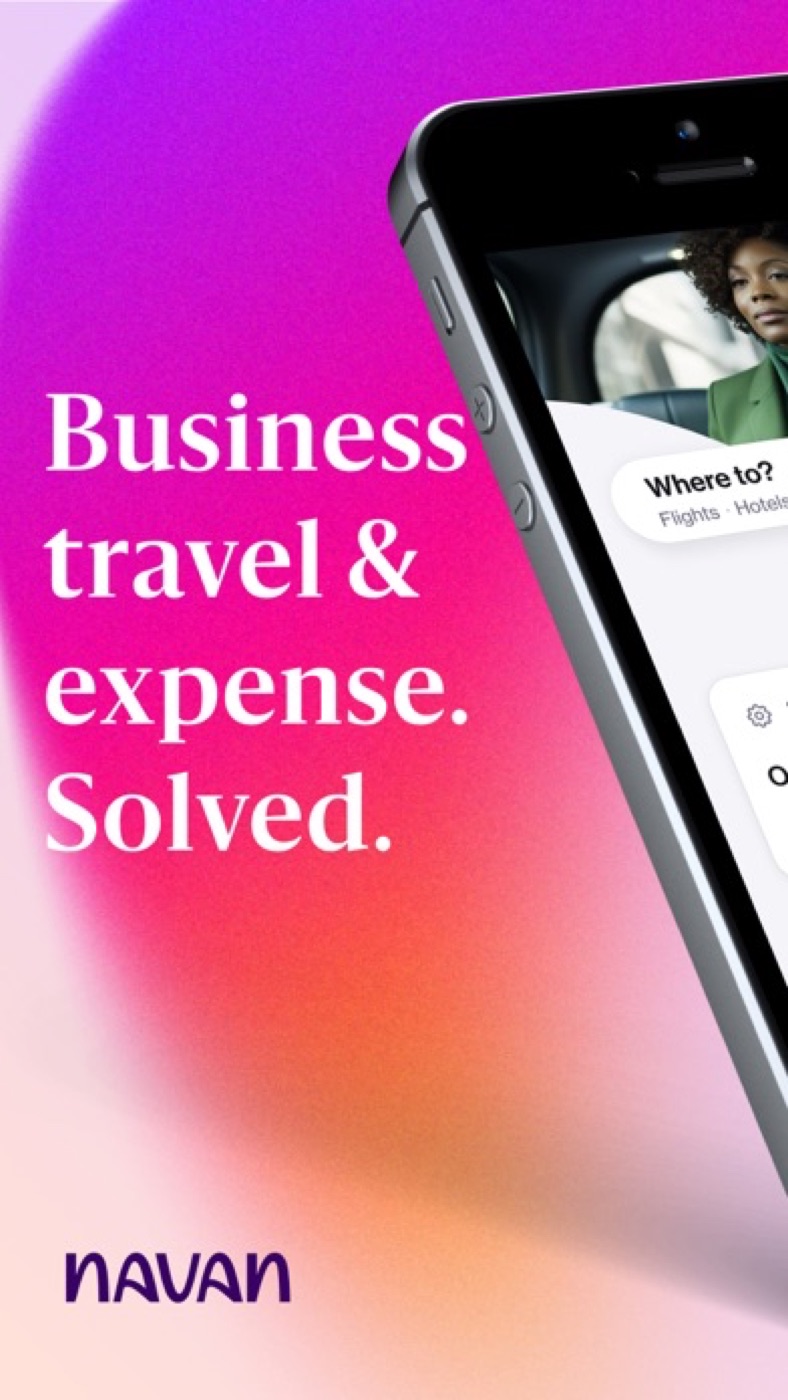
Navan makes sense when the expense report is mostly a trip report. Navan Business, free for companies with up to 300 employees, covers travel booking with unlimited policy and approval workflows, and its expense side lets staff scan receipts on the go, connect existing corporate or business credit cards, and get reimbursed, with integrations to most ERPs. Navan Expense is free for the first 5 monthly expensing users and then costs $15 per user per month. An expensing user is anyone who submits a transaction that month, by manual entry or through Navan Connect, so occasional filers only count in months they submit. For a team that rarely travels, $15 per active filer is more than Zoho Expense or Expensify charge for report-only needs, and companies over 300 employees must request a demo for pricing. The upside is one record per trip: the booking, the card charge and the receipt land in the same place.
What works
- +First 5 monthly expensing users are free
- +Only active expensing users are billed
- +Travel bookings feed into the same platform as expenses
What does not
- −$15 per user per month after 5 users is high for report-only needs
- −Companies above 300 employees need an Enterprise quote
- −Most of the value comes from travel; light travelers pay for features they skip
- Free expensing users
- First 5 per month
- Price after that
- $15 per expensing user per month
- Navan Business limit
- Up to 300 employees
- Billing unit
- Anyone who submits a transaction that month
No. 7
 SAP Concur
Concur Expense, the long-standing enterprise expense reporting system, priced per report with unlimited users.
8.1of 10Best for larger companies with many occasional filers
- Features
- 9.0
- Ease of use
- 7.2
- Value
- 7.8
Price
Base from $7 per report; Plus from $11 per report; Premium custom; unlimited users on all editions; price varies with monthly commitment
Quoted from the SAP Concur pricing page on November 27, 2026:
Base Starting at $7 per report Unlimited users
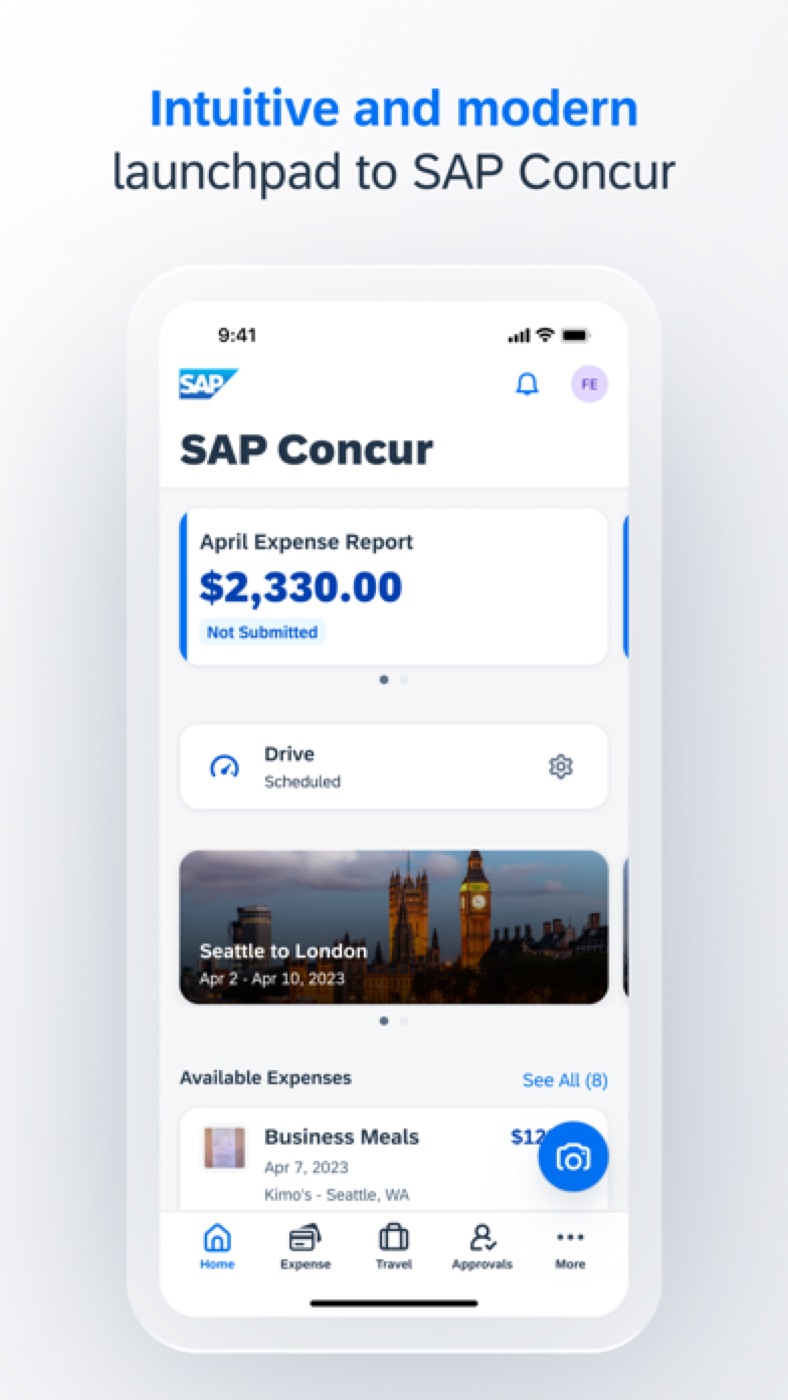
SAP Concur prices Concur Expense per report rather than per seat, with unlimited users on every edition. Base starts at $7 per report and is aimed at smaller businesses with basic reporting needs. Plus, from $11 per report, adds ExpenseIt, the AI-powered receipt capture that pulls details from a photo so employees do not type them, along with a User Support Desk and reporting. Premium is quoted and bundles Concur Travel. Across the product, SAP lists built-in policy controls that apply rules in real time, corporate card feeds that drop transactions into reports, mobile approvals and a travel integration that reconciles booking costs. Integrations number in the hundreds, with QuickBooks, Xero, NetSuite and SAP listed. The model rewards companies with many people who file one or two reports a year; a frequent traveler filing weekly costs far more than a $5 seat elsewhere. SAP also notes that price varies with monthly commitment, so get a quote before comparing.
What works
- +Unlimited users on every edition; you pay per report
- +Real-time policy checks built into the expense flow
- +Premium combines Concur Expense with Concur Travel
What does not
- −ExpenseIt receipt capture is listed on Plus ($11 per report), not Base
- −Prices vary with monthly commitment, so the list price is a floor
- −Per-report pricing gets expensive for frequent filers
- Base
- From $7 per report, unlimited users
- Plus
- From $11 per report, adds ExpenseIt and User Support Desk
- Premium
- Custom, adds Concur Travel
- Free plan
- No
No. 8
 Rydoo
European-built expense management with a fast receipt-scanning app and multi-country compliance.
8.0of 10Best for teams of 5 or more filing across several countries
- Features
- 7.8
- Ease of use
- 8.4
- Value
- 8.0
Price
Essentials $9 per user per month billed annually ($12 monthly); Pro $11 annually ($14 monthly); 5-user minimum; Business and Enterprise custom
Quoted from the Rydoo pricing page on November 27, 2026:
€8 $9 £8 Per user/per month when billed annually
Rydoo is a good fit for companies that file expenses in several countries and need receipts that count as legal originals. Every plan includes the mobile receipt scanner, unlimited expenses, mileage that is calculated from the destination, local legal and tax compliance, and multi-country certified paperless expensing. Essentials costs $9 per user per month on annual billing or $12 monthly, with a 5-user minimum, but it is thin for finance teams: one approval level, PDF and Excel exports, and integrations only with Uber, Lyft and Slack. Pro, at $11 annually or $14 monthly, is the realistic entry point for most companies, adding customizable policies and rules that can automate approvals, two approval levels, per diems in 15+ countries, automated card reconciliation for Visa, Mastercard, Amex and AirPlus, and QuickBooks, Xero and Exact Online integrations. Business starts at 30 active users with Rydoo Cards, API and SFTP access. Business and Enterprise bill only active users.
What works
- +Unlimited expenses with no scan cap
- +Certified paperless expensing in multiple countries
- +Business and Enterprise plans bill only active users
What does not
- −Essentials has a single approval flow and no accounting integrations
- −QuickBooks and Xero need Pro at $11 per user annually
- −Plans start at 5 users and there is no free plan
- Essentials
- $9 per user per month annually, $12 monthly
- Pro
- $11 per user per month annually, $14 monthly
- Minimum
- 5 users
- Free plan
- No
No. 9
 Emburse Professional
Emburse's expense, travel and invoice product for small and midsize organizations, the product sold at certify.com.
7.7of 10Best for midsize organizations that want guided implementation
- Features
- 8.2
- Ease of use
- 7.8
- Value
- 7.0
Price
See vendor pricing (USD check pending)
US price check pending. See the Emburse Professional pricing page.
Emburse Professional is the product that certify.com now leads to, positioned by Emburse for small and medium-sized organizations. The feature list is complete for expense reports: a free mobile app to build and submit reports, receipt scanning with data autofill, automatic report creation, unlimited cloud receipt storage, automated policy enforcement, control over approval routing, multiple user roles, custom categories and fields, and personal and corporate credit card integration. It works in 140+ currencies and 64 languages. Emburse lists integrations with Oracle NetSuite, QuickBooks Online, QuickBooks Desktop, Sage Intacct, UKG and Microsoft Dynamics, and offers implementation guidance, training and US-based support. The weak spot for buyers comparing prices is that no figure is published: the pricing page offers a 14-day free trial without a credit card, then a sales conversation. That makes it hard to compare per filer with Zoho Expense or Expensify, which is why it scores lowest on value here.
What works
- +Unlimited cloud receipt storage
- +Personal and corporate credit card integration
- +14-day free trial with no credit card
What does not
- −No price is published on the pricing page
- −No Xero integration among the systems Emburse lists for this product
- −Travel and invoice modules are separate products to buy
- Pricing
- Not published
- Free trial
- 14 days, no credit card
- Currencies
- 140+
- Languages
- 64
Before you choose
Expense reports, expense management or a card platform
Expense report software turns receipts into reports, routes them for approval and pays employees back. Full expense management adds corporate card feeds, budgets and travel. Card platforms such as Ramp and Brex start from their own corporate card and treat the expense report as a by-product of each card swipe. If most of your claims are out-of-pocket spending on personal cards, a report-first tool such as Expensify, Zoho Expense or Rydoo fits. If most spend can move to a company card, a card platform can remove the report step.
Check receipt OCR limits, not just the word AI
Expensify and Sage Expense Management list unlimited receipt scanning. Zoho Expense caps automatic scans at 20 per user per month on Free, 200 on Standard and 1,000 on Premium, after which receipts can still be attached manually. On SAP Concur, the ExpenseIt receipt capture tool is listed with the Plus edition at $11 per report, not with Base at $7.
Policy checks decide approval speed
Reports move faster when the software flags problems before a manager opens them. Sage Expense Management runs real-time policy violation checks on its Growth plan, Zoho Expense Standard supports multiple expense policies, and Ramp Plus can require itemized receipts and flag alcohol or weekend spend. Entry plans often allow only one approval step: Expensify Collect and Rydoo Essentials both have a single approval flow, so multi-level chains need Control or Rydoo Pro.
Count who gets billed
Vendors bill different people. Expensify Collect charges every unique member on a workspace regardless of activity. Sage Expense Management and Navan bill only active users who create expenses, and Navan's first 5 expensing users are free. SAP Concur charges per report with unlimited users, which suits companies with many occasional filers. Zoho Expense charges users who create expenses or reports.
QuickBooks and Xero sync tier
QuickBooks Online and Xero sync is included on Expensify Collect, Ramp Free and the Growth plan of Sage Expense Management. Rydoo puts QuickBooks and Xero on Pro ($11 per user annually), not Essentials. NetSuite and Sage Intacct usually sit one tier higher: Expensify Control, Ramp Plus or Sage Expense Management Business.
Questions readers ask
- What is the best software for employee expense reports?
- Expensify is the best software for employee expense reports for most small and midsize teams in 2026. Every plan includes unlimited SmartScan receipt scanning, and the $5 per member Collect plan adds reimbursements, approvals and QuickBooks or Xero sync. Zoho Expense is the cheaper alternative at $3 per user per month billed annually.
- How does expense report software differ from full expense management or corporate card platforms?
- Expense report software captures receipts, builds reports, routes approvals and reimburses employees for money they spent themselves. Expense management adds card feeds, budgets and travel, and corporate card platforms such as Ramp and Brex issue their own cards so that receipts match to each charge and many reports disappear. Card platforms are often free because they earn on card spend, but you have to move spending onto their card.
- Which expense report tools are free or cheapest per user?
- Zoho Expense is free for up to 3 users and its Standard plan is the cheapest paid option at $3 per user per month billed annually. Expensify Submit is free for individual filers, Navan Expense is free for the first 5 monthly expensing users, and Ramp Free and Brex Essentials cost $0 per user if you use their cards. Among other paid plans, Expensify Collect is $5 per member per month.
- Can expense report software sync with QuickBooks or Xero?
- Yes, most of it can, but check the plan. Expensify Collect, Ramp Free and the Growth plan of Sage Expense Management include QuickBooks Online and Xero sync, while Rydoo puts QuickBooks and Xero on its Pro plan at $11 per user per month billed annually. Emburse Professional lists QuickBooks Online and QuickBooks Desktop but not Xero.
- Which expense report software has the best receipt scanning?
- Expensify and Sage Expense Management both list unlimited receipt scanning with automatic data extraction. Zoho Expense limits automatic scans to 200 per user per month on Standard and 1,000 on Premium, and SAP Concur lists its ExpenseIt receipt capture with the Plus edition from $11 per report.
- How can expense report approvals go faster?
- Use policy rules that flag problems before a report reaches a manager, and auto-approve compliant spend. Sage Expense Management runs real-time policy violation checks, Brex Premium offers auto-approval rules and dynamic review chains for $12 per user, and Ramp Free lets employees complete expenses by SMS or Slack.
- Is per-report or per-user pricing cheaper?
- Per-report pricing is cheaper when many people file rarely; per-user pricing is cheaper for frequent filers. SAP Concur charges from $7 per report with unlimited users, so a person filing once a quarter costs about $28 a year, while the same person on Zoho Expense Standard costs $36 a year and a weekly filer costs far less on a per-user plan.
Sources and price checks
- Expensify: help.expensify.com/articles/expensify-classic/expensify-billing/Billing-Overview, checked November 27, 2026
- Ramp: ramp.com/pricing, checked November 27, 2026
- Zoho Expense: zoho.com/us/expense/pricing, checked November 27, 2026
- Sage Expense Management (formerly Fyle): fylehq.com/pricing, checked November 27, 2026
- Brex: brex.com/pricing, checked November 27, 2026
- Navan: navan.com/pricing, checked November 27, 2026
- SAP Concur: concur.com/en-us/expense-management, checked November 27, 2026
- Rydoo: rydoo.com/pricing, checked November 27, 2026
- Emburse Professional: certify.com/pricing, checked November 27, 2026, price not verified
Cite this page
KeenVerdict. 9 Best Expense Report Software of 2026. Updated November 27, 2026. https://keenverdict.com/best/best-expense-report-software
Questions or corrections: editorial@keenverdict.com
Read our editorial policy. Prices change often; check the vendor page before you buy.