Guide · General
Accounting Software Cost: Plans, Add-Ons and Total Spend
Accounting software cost explained: typical monthly plans, per-user and payroll add-ons, hidden setup fees and a three-year model to budget with.
By the KeenVerdict research desk · Updated November 25, 2026 · 14 min read
A single-user accounting package typically costs $30 to $50 per month, and a mid-tier single-user package runs $50 to $200. The entry plans listed in September 2026 came in lower still, at $23 for FreshBooks, $27 for Xero and $38 for QuickBooks.
That spread between $23 and $200 is the whole problem. A monthly price describes one user, one tier and one date, and it stops describing the business the moment a second person needs a login, an employee joins payroll, or a customer pays by invoice with a card. What decides affordability is the 36-month total: seats, subscription, card processing, payroll and implementation, checked against what comparable businesses spend in a year. A plan advertised at $23 can end up costing more than a plan advertised at $50 once the add-ons land.
The figures below carry their publisher and the date they apply to, and the three-year model is built for a five-employee business, then tested against reported annual spending at larger small firms. The verdict is blunt. Buy on total cost for your headcount and card volume, not on the shortest number on a pricing page.
Table of Contents
- What Accounting Software Costs Each Month
- How License Type and User Count Set Your Base Price
- Hidden Costs Beyond the Monthly Subscription
- Three-Year Cost Model for a Small Business
- When Growth and Promotions Raise Your Bill
- Confirm Your Total Cost Before You Buy
What Accounting Software Costs Each Month
Oracle NetSuite's 2024 pricing guide puts accounting software at $30 to $50 per month for a single-user basic package and $50 to $200 per month for a single-user mid-tier package (NetSuite's accounting software pricing guide). Those ranges describe one login with core bookkeeping: invoicing, expense capture, bank feeds, standard reports and basic sales tax. Everything above that line, from a second seat to payroll, is priced somewhere else.
The entry market has moved lower since. A 2026 cloud-accounting pricing survey records entry prices of $23 per month for FreshBooks, $27 per month for Xero and $38 per month for QuickBooks in September 2026 (Gaugius's cloud accounting software industry statistics). The survey also logs Xero's U.S. entry plan rising from $25 to $27, effective October 1, 2026, and FreshBooks' U.S. Lite pricing at $23 after changes taking effect on or after March 5, 2026. Three vendors, three prices, one month of checking, and two moves inside the same year.
| Plan or vendor | Monthly price (USD) | Source and date |
|---|---|---|
| Basic single-user package | $30 to $50 | Oracle NetSuite, 2024 |
| Mid-tier single-user package | $50 to $200 | Oracle NetSuite, 2024 |
| FreshBooks entry plan (U.S. Lite) | $23 | Cloud-accounting pricing survey, September 2026 |
| Xero entry plan (U.S.) | $27 | Cloud-accounting pricing survey, September 2026; rise from $25 effective October 1, 2026 |
| QuickBooks entry plan | $38 | Cloud-accounting pricing survey, September 2026 |
What the headline price leaves out
Every figure in that table describes the smallest configuration a vendor sells. None of them includes a second user, a payroll run, card processing, an inventory module, a reporting add-on or an accountant's login. A plan at $23 and a plan at $200 can both be labelled single-user while covering wildly different work, so comparing the two numbers alone says nothing about which is cheaper for a specific business.
The table is also the reason a quote needs a date beside it. Promotional rates and stale pricing pages make a product look cheaper than its current standard entry plan, and a comparison that mixes a March promotional price with an October renewal price is really a comparison between two different years.
KeenVerdict's own price tables handle that problem by quoting every price word for word from the vendor page and recording the date it checked, listing figures in USD, and marking a USD check as pending when a page shows another currency. The method is worth copying even if no review is read.
A four-step check before any comparison
- Date the check. Write down the day each vendor's pricing page was opened. Two weeks later the number may be stale, and a saved screenshot without a date can't be audited.
- Name the plan and the market. Record the tier being read (Lite, Standard, Premium) and the country whose pricing it is, because U.S. pricing in USD differs from the same brand's pricing elsewhere.
- Copy the price word for word. Take the vendor's own wording, including any condition attached to it, such as "per month, billed annually" or "for one user".
- Read the renewal line. Find the standard price that applies after any promotional period and the exact date that promotion ends. The renewal figure is the one a 36-month model should use.
Anyone buying a first plan as a sole trader can start from the self-employed accounting software comparison, then run all four steps against each vendor page before choosing.
The rule that saves the most money: a listed price is a starting point for one user on the lowest plan. It becomes a budget only when the seats, modules and transaction fees a business actually needs are added in.
How License Type and User Count Set Your Base Price
The license model decides how the money arrives, before a single feature is priced. A Canadian field study of accounting software adoption separates one-time licenses, annual renewal licenses and open-source software that carries no license fee, and it treats implementation and the additional payroll needed to run the system as operating costs alongside the license itself (the Canadian field study on accounting software licensing). Two products with similar headline prices can therefore produce very different budgets.
A subscription behaves like renting a flat. The monthly fee covers upkeep and updates, leaving at the end of a term is straightforward, and nothing is owned at the end. A one-time license is closer to buying: a large payment at the start, then renewal, upgrade and support costs later, when leaving has stopped being cheap. Open-source software sits between the two, with no purchase fee and all the fitting-out moved onto your side of the ledger.
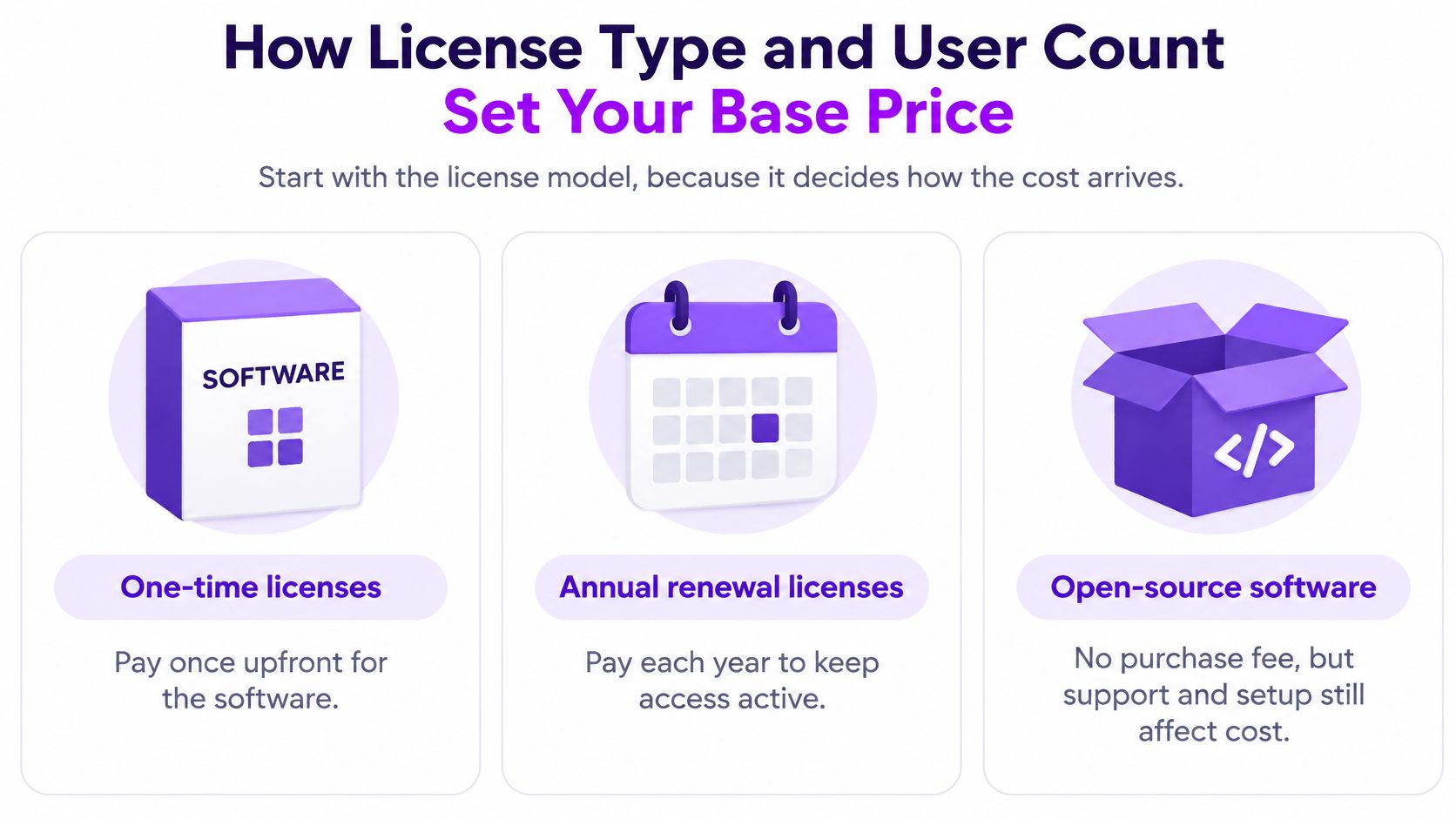
Open-source budgeting is where most estimates fail. Installation, customization, support and staff hours all land on the business's budget rather than the vendor's invoice, which is why the same study counts implementation and added payroll as operating-cost components.
What pushes a plan into the next tier
Inside a subscription, five things move the base price:
- User seats. Each extra login either adds a per-seat charge or forces a jump to a tier that includes more users.
- Invoice and transaction limits. A plan that caps monthly invoices or bank transactions works fine until volume grows past the cap, and the next tier usually costs more than the cap ever saved.
- Payroll. Payroll normally sits in a separate module with its own base fee, so hiring a first employee can move two line items at once.
- Bank feeds and integrations. Direct bank feeds, e-commerce connectors and payment links are sometimes bundled and sometimes sold as add-ons.
- Accountant access. A login for an outside bookkeeper may be free on one plan and a paid seat on another, which matters when somebody else closes the books each month.
A worked example at four users
Say a team of four buys a plan priced at $20 per seat. That's $80 per month before payroll, a reporting module or a paid support tier, and $2,880 over three years at an unchanged rate. The same vendor's $45 flat plan for up to five users comes to $1,620 over those three years, less than the per-seat option, even though the headline number looks higher.
That's the trap. A $20 seat looks cheaper than a $45 plan until the seats are counted.
Compare like with like: a per-seat plan quoted for one user and a flat plan quoted for five users are not competing offers. Price both at the headcount the business will have in year two.
Hidden Costs Beyond the Monthly Subscription
A New Zealand exploratory study on implementing accounting software in small businesses names hardware, software, consultant fees, employee training and ongoing maintenance as separate cost categories, and finds that small businesses commonly underestimate implementation costs because they overlook consulting and training (the New Zealand study on implementing accounting software). Some owner-managers cut training to save money, which moves the cost from the budget to the staff who then learn the system slowly or badly.
Data migration is the line most often missed. Moving a chart of accounts, customer and supplier lists, open invoices and opening balances out of a spreadsheet or an old system takes preparation: clean the data first, decide which historical years come across, and confirm the opening balances reconcile before anything goes live.
Card processing sits outside the accounting budget and is frequently budgeted nowhere. A subscription is a fixed cost that can be predicted; card fees scale with revenue. The payment gateway for business comparison is where that variable cost belongs, because a low fixed subscription can mask a much larger fee that grows with every invoice paid by card.
| Cost category | What it includes | How to estimate |
|---|---|---|
| Software license or subscription | Upfront fee, annual renewal or monthly plan | Use the vendor's quoted price for your user count and plan tier |
| Hardware | Devices or servers for on-premise systems | Confirm existing equipment meets the requirements |
| Implementation and consulting | Setup, configuration and outside help | Get a written quote before signing |
| Data migration | Moving history, contacts and the chart of accounts | Test the move on a copy of the data |
| Staff training | Time for each user to learn the system | Budget training hours for every user |
| Ongoing support and maintenance | Paid support tiers and updates | Check the renewal price for support |
How to build the first-year budget line by line
Ask for an implementation quote in writing, even when setup is advertised as free, and ask what it covers. Chart of accounts configuration, tax settings, data import and user training are separate jobs, and a quote that bundles the first without the rest will not hold.
Budget training hours per user rather than per company. Four people each losing six hours to a new system is a real cost the invoice never shows, and it lands in the same month as the migration. Then test the migration on a copy of the data with one full month of transactions before committing the live ledger.
A low advertised price describes a login, not a first-year budget. The gap between those two figures is what decides whether the switch pays for itself.
Three-Year Cost Model for a Small Business
Subscription accounting has become the default, and the pricing data shows how far the shift has gone. Subscription-based CPA software represented an estimated $1.327 billion, or 78% of that segment, in 2025, against $374 million, or 22%, for perpetual licenses, and the same forecast projects subscription revenue reaching $4.976 billion by 2034 at more than 90% of the segment, a 15.8% compound annual growth rate against 4.4% for perpetual licenses (the Contrive Datum Insights CPA software report). The consequence for a buyer is straightforward: cost accrues for as long as the system is used. A $100 monthly subscription costs $1,200 over one year and $6,000 over five years before extras.
Build the model on real volumes. The example below is a five-employee business taking $5,000 a month in card payments, using the assumptions set out in the Imprest accounting software cost guide: entry-level paid plans range from $19 to $65 per month, and payroll commonly adds a $29 to $50 monthly base fee plus $5 to $7 per employee. The same guide models card fees at 2.9% plus $0.30 per transaction on $5,000 of monthly volume and produces more than $5,000 in processing costs over three years, which is the largest single line in most budgets of this size.
| Cost item | Assumption |
|---|---|
| Core plan, mid-tier | $50 per month, $1,800 over 36 months |
| Card processing | $5,000 monthly volume at 2.9% plus $0.30 per transaction, about $145 per month before per-transaction fees, so $5,220 over 36 months |
| Payroll base fee | $29 to $50 per month, $1,044 to $1,800 over 36 months |
| Payroll per employee | $5 to $7 per employee per month, five employees, $900 to $1,260 over 36 months |
| Implementation and training | Get a written quote before signing, not included in the total below |
| Known total before implementation | $8,964 to $10,080 over 36 months |
What the model still leaves out
Implementation, training, accountant fees, integrations and any tier jump stay outside that total because no vendor has put a number on them yet. Each one is real, and each belongs in the sheet as a separate line the moment a quote arrives.
Once the lines are stacked this way, the subscription stops being the story. Card processing alone outweighs three years of the core plan in this example, and the payroll base fee is close behind. A cheaper plan saves a few hundred dollars across three years while the variable costs run into thousands.
A benchmark for larger small businesses
Scale changes the shape of the budget. A 2023 survey of 260 U.S. CFOs at companies with 50 to 1,000 employees found average finance-software spending was expected to reach $54,308 in 2023, up from $47,758 in 2022, a rise of $6,550 or roughly 14% in one year (CFO Dive's report on the 2023 CFO survey). Annual spend on finance technology is about $4,526 per month at that size, which shows how far multiple users, integrations and reporting tools can take a bill.
The same survey indicates that the growth reflects wider adoption and broader functionality as much as vendor price rises, a distinction worth remembering the next time an invoice increases.
Use the model, not the example: replace every assumption with your own card volume, headcount and quote. A cheap subscription can hide a variable expense several times its size.
When Growth and Promotions Raise Your Bill
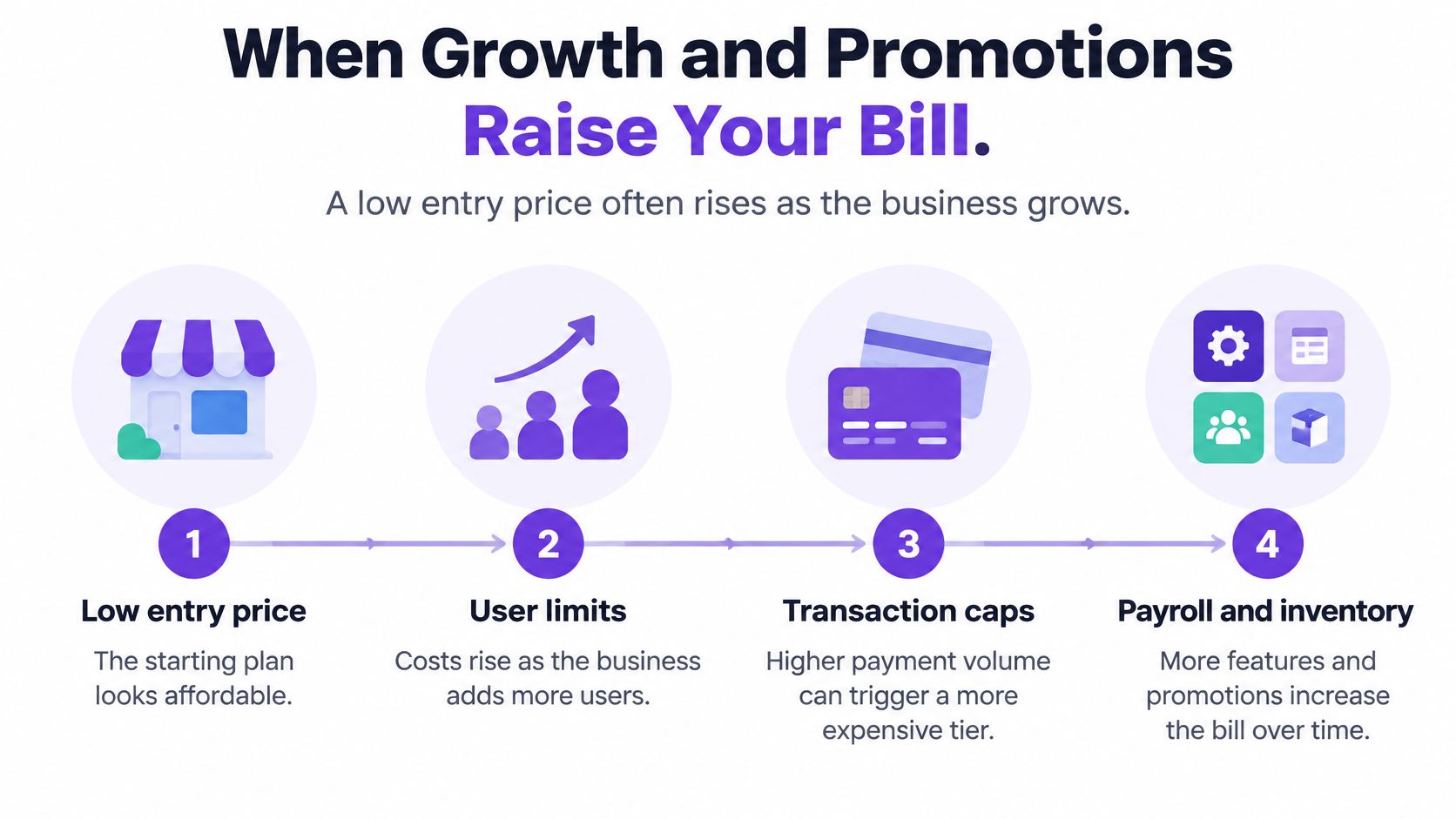
Most comparisons stop at the price a buyer sees on day one. The bill changes later, and it changes at predictable moments. Capterra's pricing resource notes that extra costs commonly appear after onboarding, when switching providers becomes harder, and identifies implementation, integrations, additional users, training and paid support as recurring sources of overruns (Capterra's accounting software cost resource). The same analysis reports that promotional prices can rise by two to five times after the introductory period, and that feature-based tiers force an upgrade once invoice, transaction or user limits are exceeded.
Rising spend isn't purely a vendor decision. In a 2024 survey, 58% of firms planned to spend more on software than in 2023, including 44% planning to spend somewhat more and 14% much more (Capterra's 2024 technology spending survey). Most of that increase comes from buying more seats and modules, not from the same plan getting dearer.
The timeline to model has four moments: month one at the promotional rate, the first renewal at the standard price, the month the user count or invoice volume passes the plan limit, and the steady-state cost by year three.
Four break-even scenarios worth modelling
- A freelancer on one plan. One seat, low invoice volume, most invoices paid by card. The subscription is small and the processing fee is the swing item.
- An employer with five staff. Payroll's base fee and per-employee charges enter at the same time, and a payroll module can push the whole account into a higher tier.
- An employer with ten staff. Seats, payroll and support tend to cross the next threshold together, so the first-year and year-three totals need separate columns.
- A multi-entity or inventory business. Consolidation, multi-currency and stock tracking are the modules that take a small-business plan into mid-market pricing, where the tier itself costs several times more.
Write the first-year total and the steady-state total as two numbers side by side. A discounted first year flatters a product that becomes ordinary in year two, and the difference between those two figures is the actual cost of the promotion.
Switching costs the price table never shows
Data migration, retraining and workflow disruption never appear in a comparison table, and they are the reason businesses stay on plans that no longer fit. Regional pricing adds another variable: a 2026 market report puts cloud accounting software at $5.36 billion in 2025 and $5.88 billion in 2026, a 9.6% compound annual growth rate, and links pricing pressure to higher operating costs for small and midsize businesses in cost-sensitive regions such as Asia-Pacific and Latin America (Research and Markets' cloud accounting software report). Renewal terms and regional pricing are worth checking before signing anything multi-year.
Decide how you would leave before you sign. A vendor that publishes its export formats, runs a clean cancellation process and states a fixed renewal date is easier to hold to a price.
Confirm Your Total Cost Before You Buy
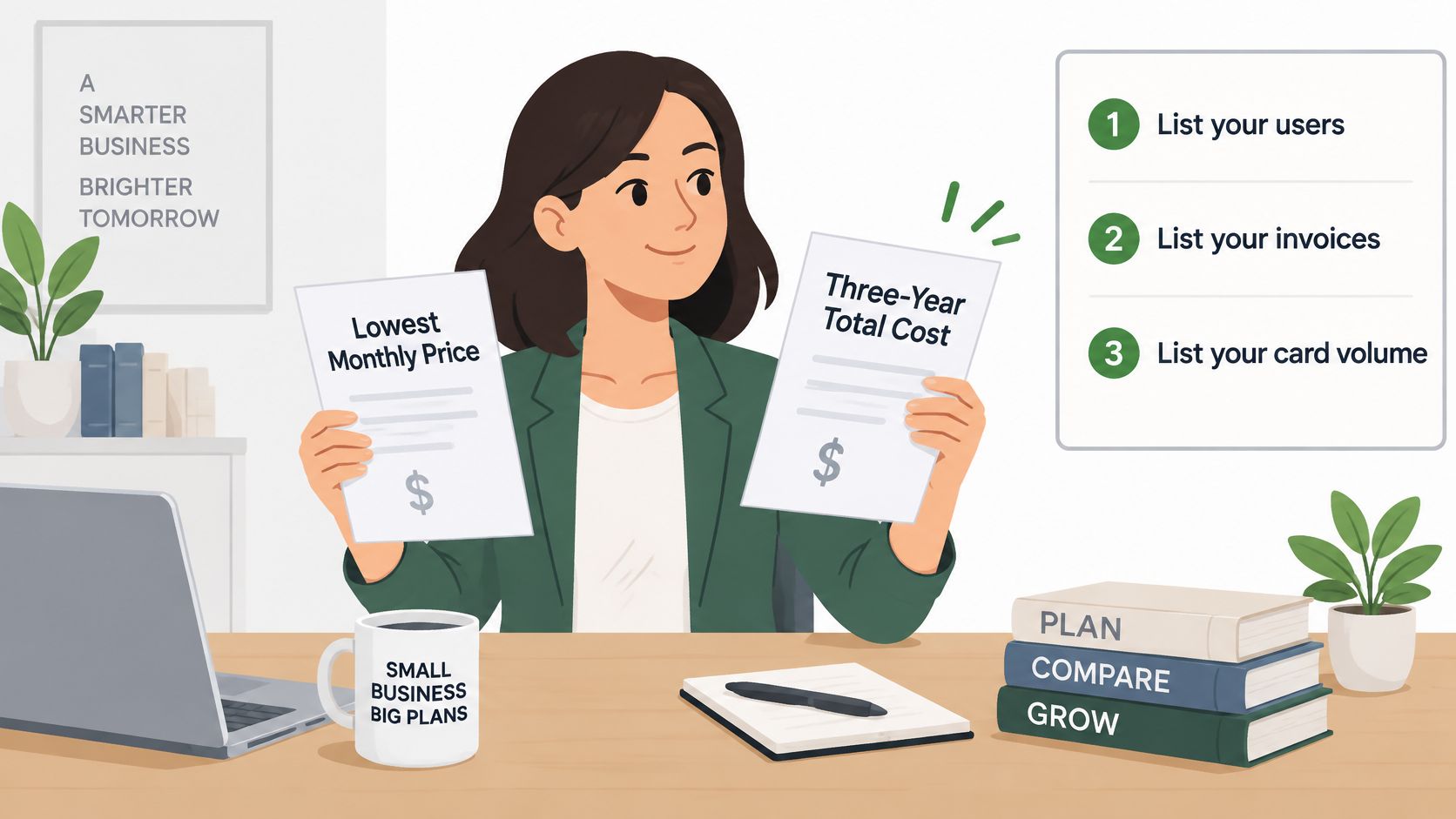
The decision fits in one sentence: buy on three-year total cost for your headcount, invoice volume and card volume, not on the lowest monthly price.
Six steps to a defensible number
- List the load. Users, monthly invoices, monthly card volume, payroll headcount and whether an accountant needs access.
- Pull each standard entry price in USD. Record the plan name and the date it was checked, and treat promotional rates as a footnote rather than the budget.
- Add the variable lines. Payment processing at the rate charged, payroll base fee plus per-employee charges, and every add-on the business would buy.
- Multiply by 36 and add year-one services. Implementation, migration and training sit on top, and a written quote is the only honest input for them.
- Ask for the renewal price and the next-tier trigger in writing. What the plan costs once any discount ends, and which limit, seats, invoices, transactions or payroll headcount moves the account up a tier.
- Run a trial on your own data. Import a month of transactions, produce the reports the business relies on, and confirm the bank feed reconciles. KeenVerdict's guide to how to run a software trial covers the setup.
KeenVerdict compares documented features, vendor documentation and published prices, so its reviews work as a shortlist rather than a final number. The final number comes from each vendor's quote applied to your own volumes, which is the step no published comparison can take on a buyer's behalf.
Sign only when the total fits the budget set before the comparison started. A plan that fits year one and breaks in year three was never the cheaper option.
Take the model you now have and rebuild it three times, once per shortlisted vendor, with that vendor's written quote in place of every estimate. Start with the accounting software comparisons on KeenVerdict, where listed prices carry the date they were checked, then request the implementation quote, the renewal price and the next-tier trigger from each vendor before signing anything.
Cite this page
KeenVerdict. Accounting Software Cost: Plans, Add-Ons and Total Spend. Updated November 25, 2026. https://keenverdict.com/accounting-software-cost
Questions or corrections: editorial@keenverdict.com