Guide · General
Payment Gateway for Business: How to Choose and Compare
Learn how a payment gateway for business works, what it costs, and which integration, fraud and payment method features to check before you sign.
By the KeenVerdict research desk · Updated November 12, 2026 · 13 min read
The gateway with the lowest advertised rate is usually not the cheapest gateway for your business. A rate card is one line on a nine-line bill, and it says nothing about how many orders the gateway declines or how much fraud it lets through. Judging a gateway on that single number is the most expensive mistake in this category.
The short answer, before the detail: choose a payment gateway for business that supports the payment methods your customers already use, fits the integration your team can maintain, and produces the best cost per completed sale on your own order history. Everything else is a tiebreaker.
Two numbers decide this. Total cost per completed sale prices every line, including the ones that never appear on a rate card. Net recovered margin prices the fraud rules, which block bad orders and good ones. The rest of this guide builds the case for both, then applies them to the way you sell.
Table of Contents
- How a Payment Gateway Moves a Sale to Your Bank
- Total Costs to Model Before You Compare Rates
- Integration Options and Their Compliance Impact
- Fraud Controls and When They Block Good Sales
- Payment Methods and Markets to Check First
- Matching a Gateway to Your Business Model
- Confirm the Fit Before You Sign a Gateway Contract
How a Payment Gateway Moves a Sale to Your Bank
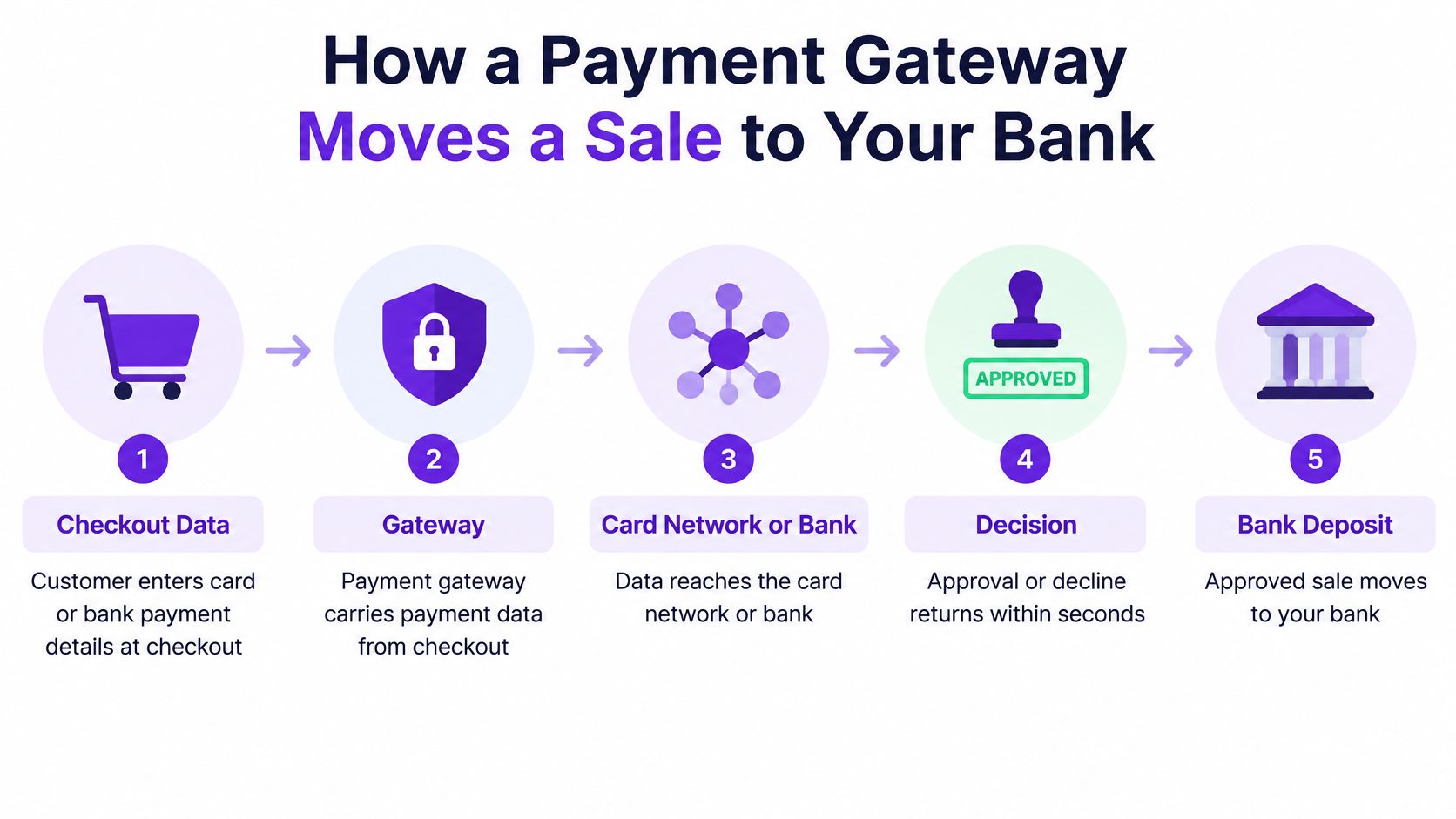
A payment gateway does one job: it carries payment data from your checkout to the card network or the customer's bank and returns an approval or decline in seconds. The money never sits inside it.
Keep the three roles straight before anything else. The gateway collects and encrypts the payment details and routes them. The payment processor authorizes, clears and settles the transaction with the card networks. The acquiring bank is the licensed institution that holds the funds until they reach your account.
A card terminal on a shop counter works the same way: it connects the counter to the network, and the shop's bank account is where the money lands hours later. Online, the gateway does the terminal's job and the acquiring bank does the rest.
One order, five stages
Say a customer buys an $80 order at 9am on a Tuesday. Authorization reserves the funds on the card. Capture tells the processor the sale is final, which may happen immediately or days later when the parcel ships. Settlement groups captured sales and moves them toward your bank account. Refunds send money back after capture. Chargebacks reverse a sale through the card network, on the cardholder's timetable rather than yours. Each stage runs on its own timing and handling rules, which the processor and card network set.
Authorization is also where the gateway's fraud controls do their work. A good order declined at this stage never reaches the other four, and it never shows up in your sales figures.
| Stage | What happens | What to verify with the gateway |
|---|---|---|
| Authorization | Issuer confirms funds or credit are available | How long an authorization stays valid |
| Capture | Sale is completed and marked for payment | Whether delayed capture and partial capture are supported |
| Settlement | Captured sales are grouped and sent to your bank | Whether settlement reports match bank deposits |
| Refunds | Money goes back to the customer after capture | Whether partial refunds are allowed and their fees |
| Chargebacks | Card network reverses or disputes the sale | Dispute alerts and evidence upload tools |
The scale is why this stopped being a checkout add-on. The U.S. Federal Reserve's 2019 Payments Study found that card payments made up 75.3% of US core noncash payments by number in 2018 but only 7.3% by value, while e-commerce card payments reached 21.1 billion transactions that year after growing about 21.3% a year from 2015 to 2018. The average e-commerce card payment fell from $101 in 2015 to $83 in 2018, which is what a system built for frequent, small purchases looks like.
Run one test this week. Pick a single order from last month and trace it from the checkout page to the line on your bank statement, writing down a date at each stage. If you can't fill in a settlement date, that's the question to raise before the contract renews, and it's also the moment to compare business bank accounts ranked on payout speed and fees, since those terms often sit with the acquirer rather than the gateway.
Total Costs to Model Before You Compare Rates
A higher headline rate can be the cheaper gateway. Take 1,000 orders at $80 each, $80,000 in sales, with 200 of them paid on cards issued outside your country, and these are illustrative placeholder rates, not vendor prices. Vendor A advertises 2.5% plus 30 cents, charges a 1.5% international surcharge and a 2.5% conversion spread, and bills $25 per chargeback. Vendor B charges 2.9% plus 30 cents flat, with a 0.5% conversion spread and $15 disputes.
Vendor A collects about $2,940 in processing and conversion on that run, before disputes. Vendor B collects about $2,700. Add six chargebacks and the gap widens to roughly $300, and A then holds a rolling reserve on top. The cheaper-looking rate lost.
| Cost item | When it applies | What to request in writing |
|---|---|---|
| Per-transaction rate and fixed fee | Every sale | Rate for each card type and payment method |
| Monthly or platform fee | Every month, regardless of volume | Minimum monthly charge and what it includes |
| International card surcharge | Cards issued outside your country | Surcharge by card region |
| Currency conversion | Sales or payouts in another currency | Conversion spread and the rate source |
| Refund fee | Each refund issued | Whether the original fee is returned |
| Chargeback fee | Each dispute opened | Fee per dispute and whether it is refunded if you win |
| Reserve | Share of sales held back | Percentage held, release schedule and conditions |
| Payout timing | Each settlement to your bank | Payout days and any fee for faster payouts |
| Failed authorization | Declined orders | Whether declines carry any charge |
Know which pricing structure you're being quoted
Interchange-plus passes the card network's interchange cost through at face value and adds a fixed markup, so the markup is the only part worth negotiating. Flat-rate charges one price for every sale, which is simple to budget and usually costs more on debit and basic consumer cards. Tiered pricing sorts transactions into qualified, mid-qualified and non-qualified buckets, and the bucket definitions are where the surprises live. Ask which structure is on the table before comparing two quotes, because a flat-rate number and an interchange-plus number describe different things.
Practical rule: a gateway quote isn't comparable until every fee has a number and a date next to it.
Chargebacks set the cost of a bad sale. Visa's chargeback guidance states a cardholder generally has up to 120 days from the purchase to request a chargeback, and the claim cannot exceed the original purchase value, so a disputed order costs the full sale plus the dispute fee plus the staff time spent assembling invoices, delivery proof and refund messages. Dispute alerts and upload tools help, but they don't move the deadline.
Build the model from your last twelve months of real orders, priced per $10,000 processed, and ask each vendor for the full fee schedule in writing. Price alone won't finish the job: the CyberSource 2025 Global eCommerce Payments & Fraud Report identifies payment cost, authorization rate, authentication rate, loss rate and success rate as the metrics merchants rank most important, which is a five-variable problem, not a one-line comparison.
Integration Options and Their Compliance Impact
Three setups cover almost every store. Hosted checkout sends the customer to the gateway's own page to enter card details. Embedded fields or an iframe put gateway-served card fields on your page. A direct API integration has your page or app collect the data and pass it on. The choice decides who touches card data and how much payment-page code you're responsible for.
| Integration type | Who collects card data | Payment page scripts you manage | Development effort | Best fit |
|---|---|---|---|---|
| Hosted checkout | Gateway's own page | Few, mostly the gateway's | Low | Small stores and early-stage sellers |
| Embedded fields or iframe | Gateway-served fields on your page | Some, including your own page scripts | Medium | Stores that want a branded checkout |
| Direct API | Your page or app | Many, all covered by PCI requirements | High | Teams with in-house developers and custom flows |
PCI DSS v4.0 turned payment-page JavaScript into a documented obligation. Requirement 6.4.3 requires an inventory of every script running on payment pages, a written reason for each one, confirmation that each is authorized, and protection of script integrity. Requirement 11.6.1 adds change and tamper detection for payment-page content and relevant HTTP headers, with alerts for unauthorized modifications, and the detection must evaluate the page as the customer's browser receives it at least once every seven days unless a documented risk analysis sets another interval (PCI DSS v4.0 requirements 6.4.3 and 11.6.1). The expanded controls took effect for the new requirements on April 1, 2025.
Moving card entry to a hosted page shrinks the surface you have to assess. Embedding scripts on your own domain, even when the gateway serves the fields, adds monitoring, inventory and governance work that lands on whoever maintains the site.
Two questions settle the integration choice faster than any feature grid. Ask the vendor which PCI self-assessment questionnaire applies to the specific setup you're buying, and ask in writing where their responsibility ends and yours begins. Then check the plugin your platform ships: if it's stale or unmaintained, the integration cost lands on your developers regardless of what the gateway promises. If the platform itself is still undecided, KeenVerdict's best ecommerce platforms comparison is the earlier decision to make, because the gateway has to fit the platform, not the other way round.
Fraud Controls and When They Block Good Sales
Maximum blocking is not maximum safety. Every rule that stops a fraudulent order also stops some legitimate ones, and a blocked good order is revenue you already paid marketing to earn. The question isn't whether a control blocks fraud. It's whether the control recovers more margin than it destroys.
The controls a gateway typically offers do different jobs. 3-D Secure sends transaction, payment-method and device data to the card issuer, which either approves frictionlessly or asks for a one-time passcode or biometric check, and the gateway must preserve the ECI and CAVV fields so the authentication outcome survives into authorization and can support liability protection (EMVCo on EMV 3-D Secure). Tokenization replaces card numbers with stored tokens. Velocity rules cap repeated attempts from one card, device or address. Device intelligence scores the buyer's hardware and browser. Manual review buys certainty with staff hours. Dispute automation and real-time monitoring sit on top.
The losses are real and concentrated in specific attack types. The 2025 Global Payments and Fraud Report from the Merchant Risk Council found that 47% of surveyed merchants named refund abuse as their leading fraud attack, 45% named real-time-payment fraud as the next major attack, and reported payment fraud represented 3.2% of global e-commerce revenue.
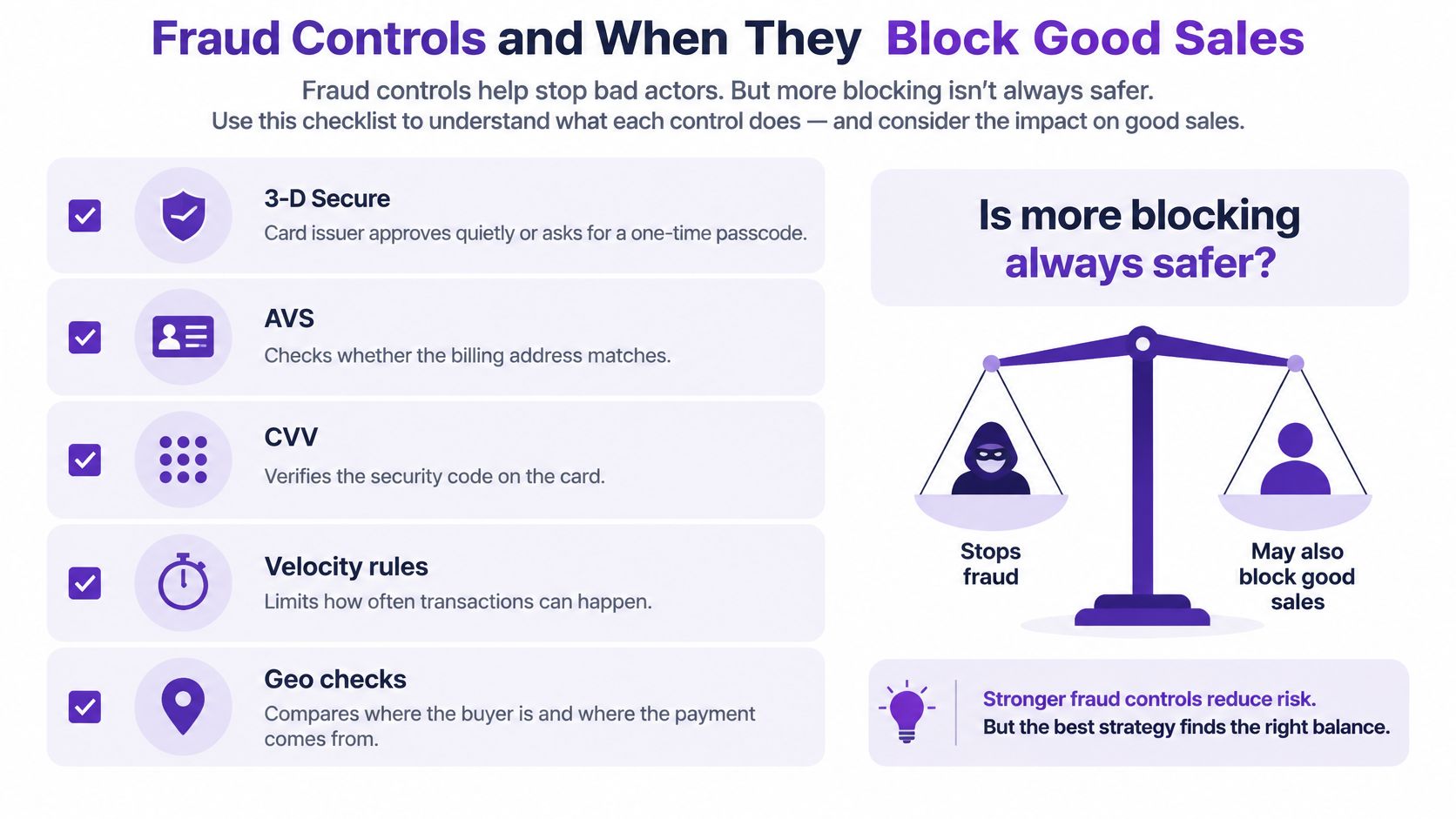
Now price the other side of the ledger. A rule that stops one fraudulent $200 order while declining four legitimate $80 orders has cost $320 to save $200, before you count the support tickets and the customers who don't come back. That arithmetic is why the strictest setting is rarely right for a small business, and why every rule you switch on needs a review date.
A blocked order is a sale you already paid to acquire.
Judge each control by net recovered margin: fraud losses avoided, minus sales lost to false declines, minus review costs. Track false decline rate and chargeback rate monthly after any rule change, and keep the two numbers side by side. If chargebacks fall but false declines rise faster in dollar terms, the rule is losing money.
Payment Methods and Markets to Check First
The World Bank's Global Findex 2025 reports that 42% of adults globally made a digital merchant payment in 2024, up from 35% in 2021, and it names payment gateways and aggregators as the mechanisms connecting merchants to digital payment systems. That remaining headroom matters: most adults worldwide still paid no merchant digitally in 2024, and every one of them who switches is a payment method your checkout either accepts or doesn't.
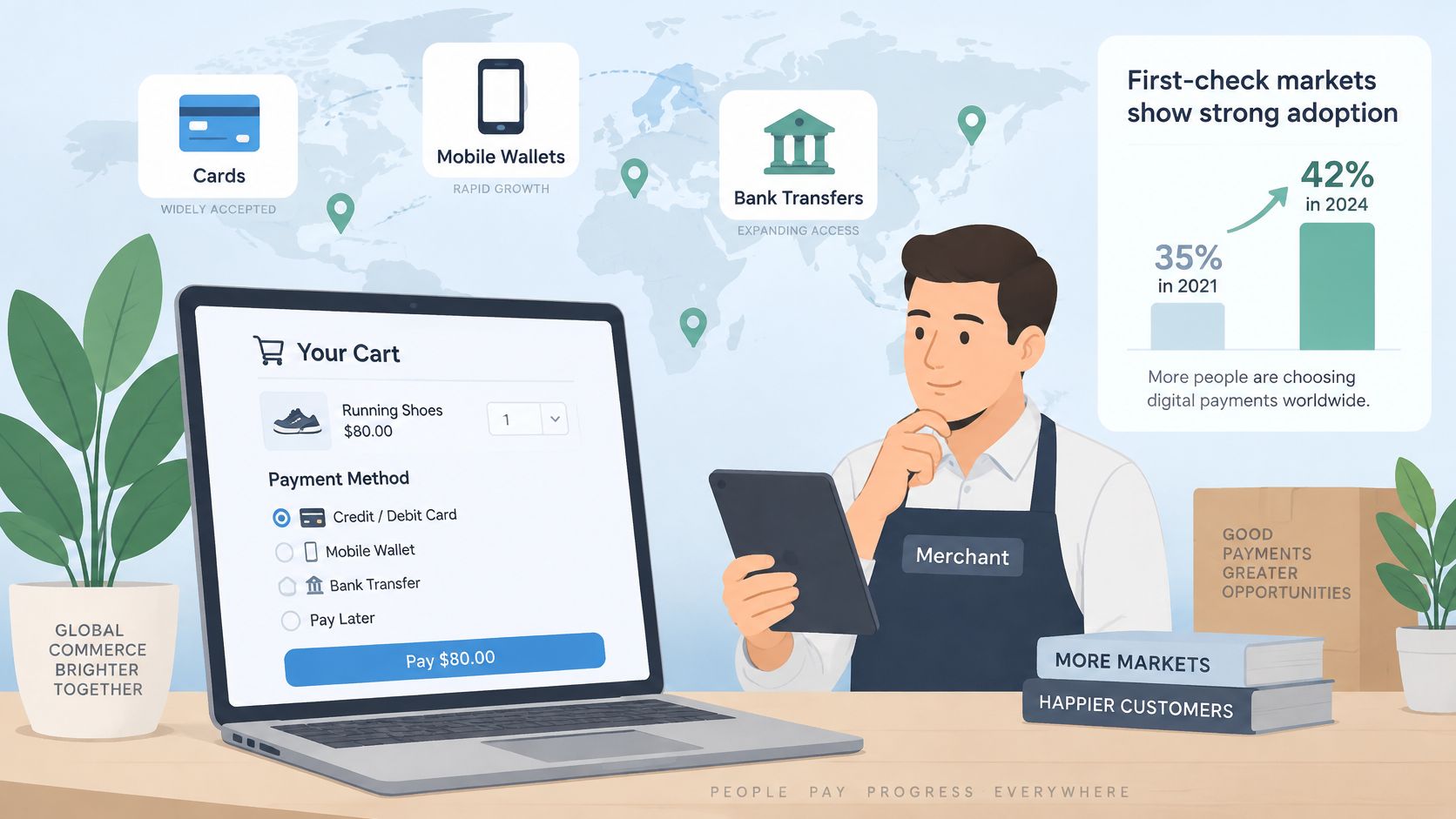
Gateway functionality has broadened past cards. In India and Thailand, payment-service providers connected merchant checkouts to UPI and PromptPay, so a buyer can pay instantly through a wallet or QR code rather than a card number. Where that infrastructure exists, a gateway that can't route to it is a gateway that turns away the local default.
Work through the checks in this order, because each one narrows the field.
- Methods your customers already use. Sort last quarter's orders by payment method. If bank transfer or wallets already appear, the gateway needs them at launch, not on a roadmap.
- Currencies you sell in and get paid in. Those aren't always the same list, and the second one decides your conversion exposure.
- One gateway or several. A single provider with broad coverage cuts integration and reconciliation work. Separate integrations per market can win on local approval rates but double the reporting.
- Recurring billing per method. Not every method supports stored credentials and retries, and a subscription that only renews on cards is a subscription that loses the customers who pay by wallet.
The trade-off is straightforward. Broad coverage reduces engineering effort, but every added method carries its own fee and its own settlement timing, and those belong in the cost-per-$10,000 model rather than in a footnote. A method that converts well and pays out nine days later can still be the expensive one.
Sort the last quarter of orders by payment method and currency, then count what share of revenue each combination carries. Any combination above roughly a tenth of revenue deserves its own line in the gateway comparison.
Matching a Gateway to Your Business Model
Find your model in the table, then rank gateways only on the criteria in that row. A gateway that's excellent at something you don't need is a gateway you're overpaying for.
| Business model | Criteria to rank first | Risk to check before signing |
|---|---|---|
| Online store selling physical goods | Delayed capture, partial capture and partial refunds | Authorization validity period against shipping times |
| Subscription business | Recurring billing, payment retries and card account updates | Failed-renewal handling and retry fees |
| Marketplace or platform | Split payouts to sellers and reserve terms | Payout timing and reserve release conditions |
| Service firm with international clients | Multi-currency invoicing and conversion spread | Foreign exchange spread and cross-border surcharges |
| Mixed in-person and online retail | One dashboard, point-of-sale support and unified reporting | Reconciliation between in-store and online settlement reports |
Physical goods sellers live or die on timing. An authorization taken at checkout can expire before the parcel ships, so confirm the validity window against your longest handling time and check that partial capture works when half an order ships late.
Subscriptions are a different machine. What matters is whether the gateway retries a failed renewal on a schedule you control, whether it receives card account updates when a card is reissued, and what each retry costs. A monthly failure rate that looks small on a dashboard compounds across the whole book. If billing logic is the essential requirement, KeenVerdict's best subscription billing software comparison covers the layer that sits above the gateway.
Marketplaces need split payouts and predictable reserves. The reserve schedule is the number that decides whether the platform can pay sellers on time, so get the release conditions in writing before launch.
Service firms billing international clients should rank conversion spread above everything else. The visible invoice is in one currency and the settled amount is in another, and the gap is set by the spread, not the transaction rate.
Mixed in-person and online retailers buy reconciliation more than features. One dashboard that ties card-present terminals to online orders saves hours a month, and mismatched settlement reports undo that saving immediately.
Rule of thumb: score the top three criteria for your model from 1 to 5, and discard any gateway that scores below 3 on the first one.
Check the surviving scores against the cost-per-$10,000 model and the integration choice. A gateway can win on features and still lose once the numbers land.
Confirm the Fit Before You Sign a Gateway Contract
The decision closes in five steps, and none of them take a week.
- Pull twelve months of orders. Compute the share of international, subscription and refunded sales. Those three percentages feed the cost model and tell you which table rows apply.
- Get every fee in writing, with a date. Fees move, so a quote without a date is a rumour. KeenVerdict quotes prices from vendor pages and records the date it checked them, and it lists everything in USD, marking a USD check as pending when a vendor page shows another currency.
- Run four sandbox transactions. An approval, a decline, a refund and a partial capture. Then confirm each settlement report matches the deposit.
- Confirm the PCI split. Which responsibilities the vendor carries for the integration you chose, which fall to you, including MFA on admin accounts and quarterly external scans where they apply.
- Apply the score and the cost per $10,000. Discard anything that fails the first criterion for your model, whatever the demo looked like.
One more check belongs on the list. The Visa Acceptance 2025 Global Digital Shopping Index, a survey of 3,464 merchants across eight countries, found that 59% of surveyed merchants in 2025 were concerned their current payment technologies would not meet future needs. Ask what the gateway supports today for the market you plan to enter next, not only the one you sell in now.
Start with the twelve months of order data, not the vendor demo. Build the cost-per-$10,000 model, then run the sandbox tests and the PCI questions against the two or three providers that survive. KeenVerdict scores payment gateways on features at 40%, ease of use at 30% and value at 30%, so its ranking is worth reading next to your own scored shortlist, not instead of it. If the lowest-rate option loses on your numbers, your numbers are the ones that pay the bills.
Questions or corrections: editorial@keenverdict.com