Guide · General
Website Builder Cost: What You Really Pay in 2026
Website builder cost in 2026: plan prices, year-one and three-year totals, hidden fees and accessibility costs compared.
By the KeenVerdict research desk · Updated November 11, 2026 · 11 min read

Plans priced below $15 per month captured 38.10% of website-builder demand in 2025, the largest single pricing tier, and Mordor Intelligence's website builders market report projects the whole market growing from $3.06 billion in 2025 to $7.67 billion by 2031, a compound annual growth rate of 16.58% across 2026 through 2031. The same forecast puts the $15 to $50 monthly band at a 19.72% CAGR over that period, which marks where budgets migrate as businesses add storage, ecommerce capability, analytics, integrations and support.
Cheap entry pricing is exactly why the headline number misleads. Wix publishes a paid plan at $17 per month on annual billing, and the first tier that includes basic ecommerce runs $29 per month on the same annual term, according to Wix's 2026 guide to website builders. That figure buys the plan itself. Domain registration, tax, paid add-ons and any accessibility work sit outside it, so the year-one total always lands above twelve times the advertised rate.
Treat the monthly fee as the smallest line in the budget, then build the year from there.
Table of Contents
- Website Builder Cost at a Glance
- Which Plan Your Site Actually Needs
- Year One and Three-Year Totals
- Costs Beyond the Monthly Fee
- Accessibility Costs Most Pricing Pages Skip
- DIY Builder or Hire a Developer
- Confirm Your Budget Before You Pay
Website Builder Cost at a Glance
Two figures set the floor for a paid site. Wix lists its Light plan at $17 per month when billed annually and its Core plan, the first tier that adds basic ecommerce functionality, at $29 per month on annual billing, according to Wix's 2026 guide to website builders. Every other number in this article is read against those two.
The table collects the listed prices a buyer meets first, with the vendor's own caveat attached to each row.
| Plan | Billing | Monthly price | Vendor note |
|---|---|---|---|
| Wix Free | No charge | $0 | Limited; Wix branding and a wixsite.com address |
| Wix Light | Annual | $17 | Vendor list price; billing location affects the final price |
| Wix Light | Monthly | Not stated | Wix doesn't publish a monthly rate as the same figure |
| Wix Core | Annual | $29 | Adds basic ecommerce functionality |
| Shopify Basic | Annual | $29 | Listed by Shopify in 2026 |
| Shopify Basic | Monthly | $39 | Same plan paid monthly, listed by Shopify in 2026 |
The billing term changes the effective rate, and Wix states that billing location affects the final price. The figures above are list prices published by the vendor in 2026, not a universal global rate, so a shopper comparing a monthly price on one platform with an annual price on another is weighing two different commitments rather than two prices.
The $0 tier is a different product. Wix describes its free plan as limited, with Wix branding and a wixsite.com address, so it doesn't deliver the same setup as a paid plan with a custom domain. A business that needs its own address is buying a paid tier whatever the free row says.
How to Read This Table
KeenVerdict compares documented features, vendor documentation and published prices, and quotes each price from the vendor page on the date shown. Prices change often, so confirm the figure on the vendor's own pricing page on the day of purchase.
Find the cheapest row that performs the job the site needs, write the number down, then check it before committing.
Which Plan Your Site Actually Needs
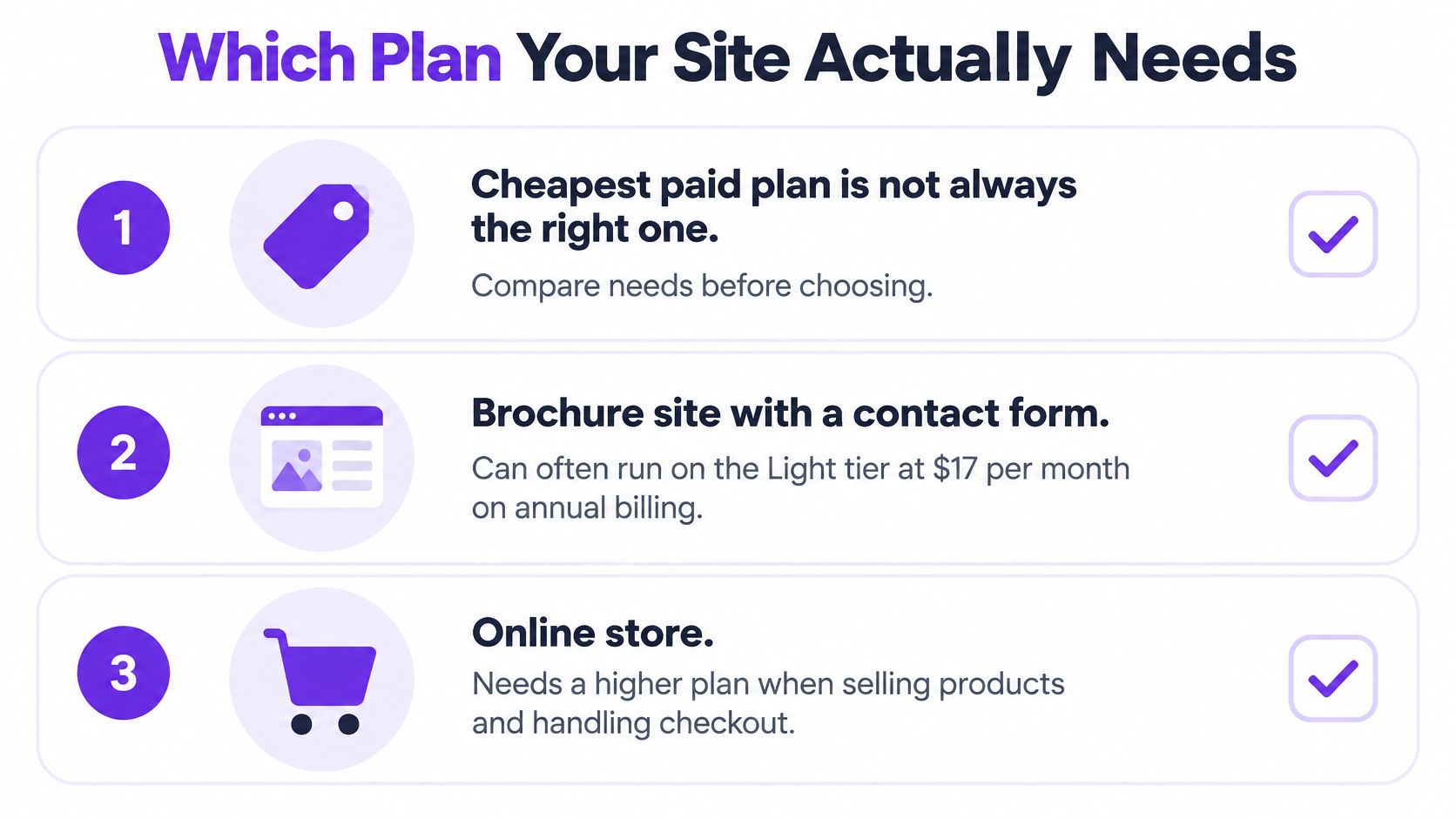
Start with the function, not the price. A brochure site with a contact form, five service pages and a phone number can run on the entry tier at $17 per month on annual billing. An online store can't, because the cheapest paid plan may not include checkout, product management or selling tools at all.
Wix places ecommerce access in its Core plan, listed at $29 per month when billed annually, against the $17 Light plan for simpler sites, and Shopify listed its Basic plan at $29 per month on annual billing and $39 per month when paid monthly in 2026 (Awesomic website builder comparison). A store that compares platforms by their advertised starting price and then finds checkout one tier up has mispriced the project from day one.
Five questions settle the tier before any comparison table matters. For the store side specifically, KeenVerdict's ecommerce platform rankings cover the platforms built for checkout rather than brochure pages.
- Do you take payments on the site? A yes pushes the build to the first tier with checkout, product management and selling tools. A no keeps the entry tier open.
- How many products or services will you list? A handful of services fits a brochure plan. A catalogue with variants, stock levels and shipping rules needs the ecommerce tier, often with an app on top.
- Do you need a custom domain on day one? Free plans carry the platform's subdomain and branding, which undercuts a business card. A yes here makes a paid tier mandatory whatever else the site does.
- Do you need business email on that domain? Email is usually a separate subscription or an add-on, so it belongs in the same budget as the plan.
- Do you need analytics, integrations or support that only higher tiers include? Read the plan page line by line. Form limits, storage, staff seats and support channels usually change by tier, not by platform.
The rule that survives every price change: pick the first plan that performs the job the site must do, then confirm each feature on the vendor's current plan page.
Year One and Three-Year Totals
The monthly rate becomes meaningful only after multiplication. A 2026 pricing comparison lists Wix Light at $17 a month on annual billing, Wix Core at $29 a month on annual billing and Shopify Basic at $39 a month when paid monthly; at Core's rate, 36 months comes to $1,044 before domain renewal after the first year (SoftwareCompare's small business builder comparison).
That total isolates the plan subtotal. Core costs $348 across the first 12 months, then the same annual amount twice more. Domain renewal, tax, transaction charges, paid add-ons and accessibility work sit outside the $1,044 and need their own lines in the budget.
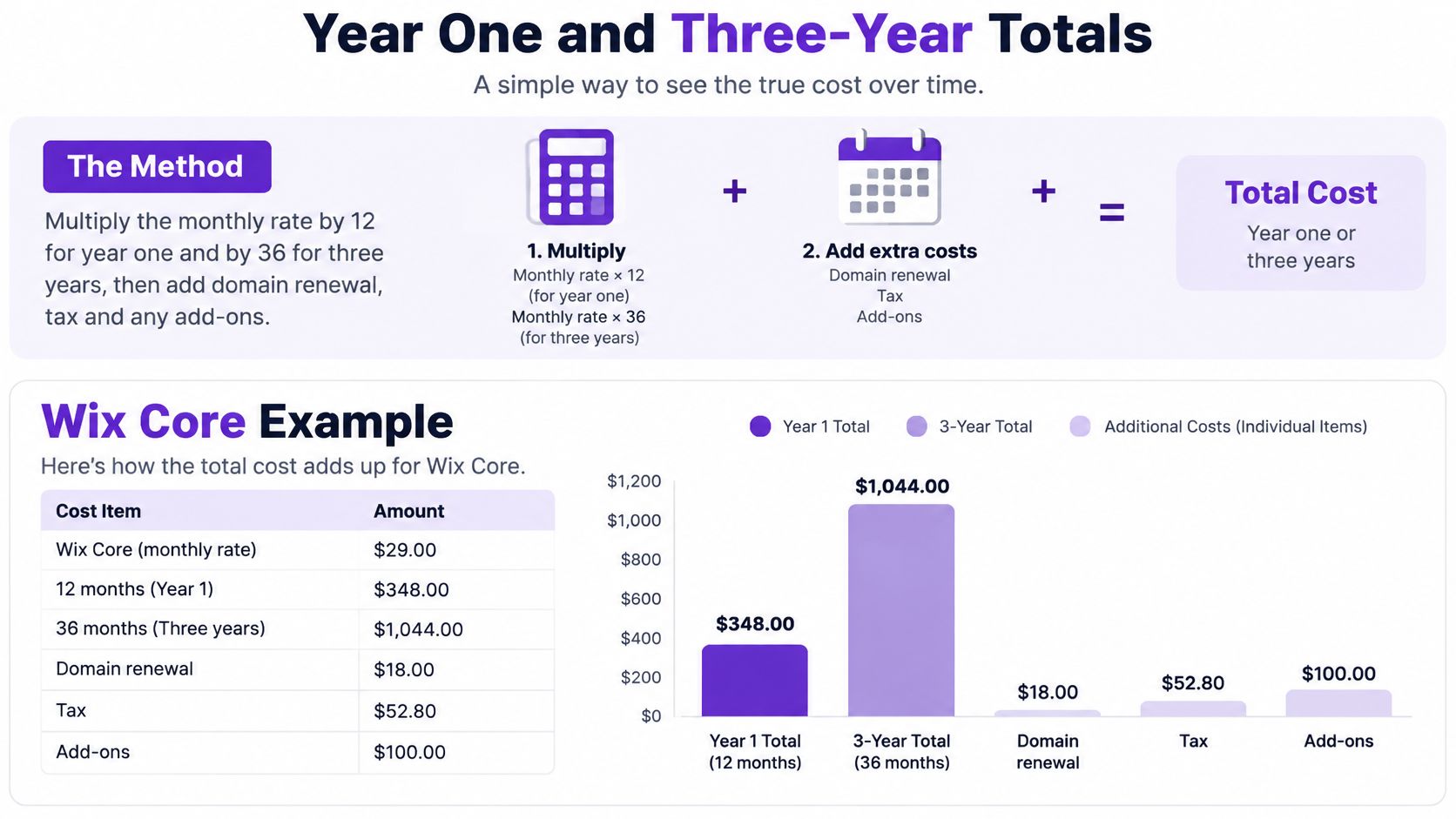
Use the same calculation for any plan. The $20 and $60 rows are low-end and high-end DIY examples; each shows what happens when the selected rate runs unchanged for the full period.
| Monthly rate | Year one (12 months) | Three years (36 months) |
|---|---|---|
| $17 (Wix Light, annual billing) | $204 | $612 |
| $20 (low-end DIY example) | $240 | $720 |
| $29 (Wix Core, annual billing) | $348 | $1,044 |
| $39 (Shopify Basic, paid monthly) | $468 | $1,404 |
| $60 (high-end DIY example) | $720 | $2,160 |
| Domain renewal | Paid to the registrar at registration | Two renewals after the first year |
Every total is the monthly rate multiplied by 12 or 36, before domain, tax and the other separate costs. For a real forecast, substitute the current rate for the billing term, then add the registrar's renewal amount, the applicable tax rate and each paid service as separate annual lines. That keeps the plan charge visible instead of letting it stand in for the full cost of running the site.
Costs Beyond the Monthly Fee
The plan fee is one line in the budget, and by the end of year one it's rarely the biggest. These are the charges that attach to a live site, and what triggers each one.
- Domain purchase and renewal. A yearly charge set by the registrar, where the renewal rate matters more than the first-year offer. When the plan doesn't include a domain, it's a separate invoice from a separate company.
- Payment processing. An online store pays a percentage of each sale to its processor. Confirm that rate, and check whether the plan adds its own transaction fee on top, because two small percentages compound across a year of orders.
- Premium templates and paid apps. A booking widget, a review collector, a multilingual add-on. Each is a subscription with its own renewal date, usually priced per site rather than per feature.
- Business email. Tied to the domain, billed per mailbox, and separate from the builder in most setups.
- Copy, photography and design. A template supplies structure, not words. Professional copywriting and product photography are one-time costs that land in year one.
- Migration and rebuild work. Moving platforms means re-creating pages, redirecting old addresses and retesting forms and checkout. That's paid work or a week of the owner's evenings.
- The owner's time. No invoice arrives, but every hour on updates, product uploads and troubleshooting is an hour not spent selling.
Take a small store on a mid-tier ecommerce plan with a custom domain, one paid app for product reviews and a card processor. The plan fee is known and fixed. The domain is a yearly charge to confirm with the registrar, the app is a subscription to confirm in the app's own listing, and the processor takes a percentage of each sale to confirm on the processor's rate card. Three of those four lines are absent from the builder's pricing page.
Write every line down before comparing two platforms. A cheap plan with three paid apps can outrun an expensive plan that bundles the same features.
Doing it yourself lowers the invoice but moves the cost into the owner's time, and some of those decisions cost more to reverse than to make. A site built on a plan without export tools can need a full rebuild later, and that rebuild is a cash expense, not an evening.
Accessibility Costs Most Pricing Pages Skip
Builder pricing pages answer the subscription question and skip the harder one: what the site costs if it has to be usable with assistive technology from launch rather than merely published.
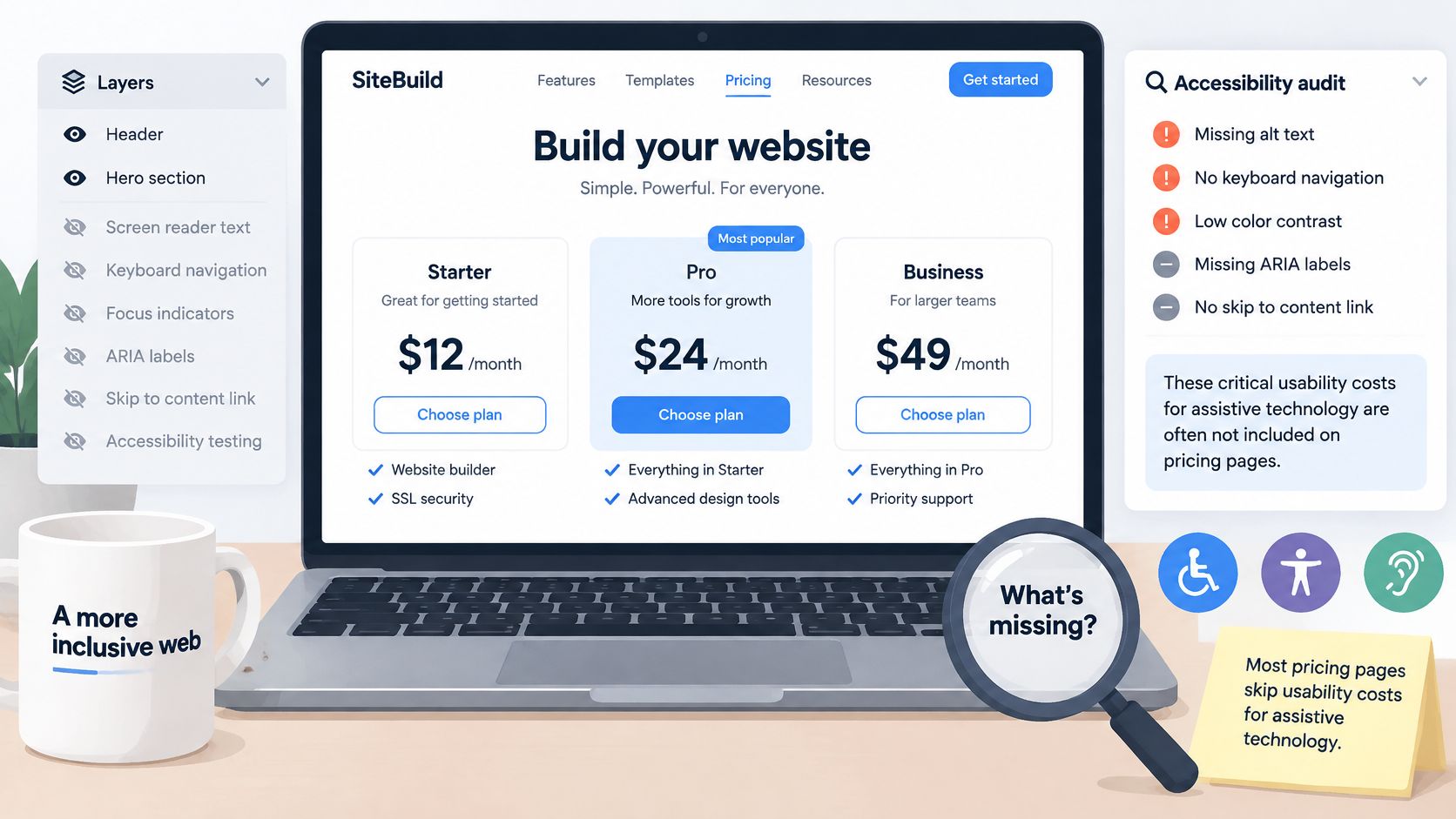
Available 2025 estimates compiled by the A11y Collective separate automated scanning from expert review: automated tools may identify only about 30% of WCAG issues, while a professional audit can cost roughly $2,500 to $10,000, remediation another $5,000 to $20,000, and ongoing maintenance $200 to $1,000 per month.
Monitoring is the line that repeats. Accessibility monitoring alone can add roughly $25 to $69 per month, and an audit plus first-year monitoring may total about $1,550 to $3,600 before any remediation, according to Compliascan's breakdown of ADA compliance services.
What to Test Before Committing
- Run the default template through a scanner and read the report before building anything on it. A template that fails on headings, contrast and form labels will fail again on every page copied from it.
- Reach the contact form and checkout with the keyboard alone. Anything that traps focus or needs a mouse is remediation work, and remediation is the expensive range.
- Ask who fixes what. Pricing pages rarely say whether accessibility work is included in the plan, needs custom code, or needs an outside specialist, and each answer carries a different invoice.
The audit and remediation ranges dwarf a year of plan fees. The cheapest builder isn't the lowest-cost option if its templates, forms, checkout or navigation need extensive manual repair, and a lower headline price can cost more once that work starts. Accessibility also affects conversion and reach, not only legal exposure.
The question to settle before signing up is narrow: does this site need to be accessible at launch, or can the work wait for another budget cycle?
DIY Builder or Hire a Developer
A 2024 survey of more than 100 web-development companies, reported in CIQRA's breakdown of average website costs, found that 60% of firms charged $1,000 to $7,000 for a small-business website, while a further 36% quoted $7,000 to $15,000 for a simple site of 5 to 10 pages. A 2026 pricing analysis puts many do-it-yourself plans at roughly $20 to $60 per month, about $240 to $720 a year before optional services.
The two ranges buy different things, and comparing them as rivals muddles the decision. An agency quotes an upfront project fee covering design, development, content setup, testing and client requirements. A builder charges a recurring subscription that bundles hosting, security, editing tools and technical infrastructure. At $20 a month the plan costs $240 in year one and $720 across three; at $60 it costs $720 in year one and $2,160 across three. Even the dearer three-year DIY total stays inside the lower agency bracket, which makes the subscription look cheap until you notice it never ends.
| Build route | Typical cost | Billing | Who handles changes |
|---|---|---|---|
| DIY website builder | $20 to $60 per month, about $240 to $720 a year | Ongoing subscription | Site owner |
| Agency small-business site (60% of firms surveyed) | $1,000 to $7,000 | Upfront project fee | The agency, quoted separately for later changes |
| Agency simple site of 5 to 10 pages (a further 36%) | $7,000 to $15,000 | Upfront project fee | The agency, often under a support agreement |
The invoice shapes differ as much as the totals.
The same extras apply to both routes. Domain registration, paid templates, transaction fees, copywriting and migration are line items whether a firm or the owner builds the site. The agency fee buys labour that the builder route assigns to the owner, and the agency charges again for changes after launch. That is the tradeoff: cash against hours, and a project fee paid once against a subscription that runs as long as the site does.
Paying a developer earns its price when the site needs functionality no builder plan offers, or when the owner would rather buy design time than spend their own. For a site that lives on a single conversion page, the builder is the cheaper first step, and KeenVerdict's comparison of landing page builders scores the options on documented features and published prices.
Confirm Your Budget Before You Pay
Six steps, in order, take about an hour and settle the number.
- Name the site type. Brochure, appointment, store or multilingual, decided before any pricing page opens.
- Choose the lowest plan that performs the job. Checkout for a store, booking for an appointment business, a custom domain for anything that appears on a business card.
- Run the arithmetic on the monthly rate and the billing term you'll sign, for both year one and three years.
- Add the quiet lines. Domain renewal, tax, payment fees and at least one paid add-on you expect to need.
- Decide on accessibility timing. If it must be right at launch, add the audit and the monthly monitoring to the same total.
- Re-check the price on the vendor's page the day you buy, because list prices change and billing location can move the final figure.
KeenVerdict's pick in its Best Website Builders verdict is Wix, so that verdict makes a reasonable starting point for comparison rather than a guarantee that it fits every budget.
Write the one-year and three-year totals down before signing up. The decision rests on those two figures, not on the monthly rate that first caught the eye.
Before the next renewal, total three years of plan fees, the registrar's renewal, one paid add-on and any monitoring, then set the result next to the one-year figure. If the gap surprises you, the pricing page has told you something worth knowing. KeenVerdict's Best Website Builders ranking is the place to build the shortlist, and the test to apply to every candidate is the same: the plan whose full three-year cost the business can carry in a slow year, not only in a good one.
Questions or corrections: editorial@keenverdict.com