Guide · General
Service Desk Software for Small Business: How to Choose
Service Desk Software for Small Business: compare core features, SLA metrics, deployment and five-agent pricing, then shortlist tools to trial.
By the KeenVerdict research desk · Updated November 23, 2026 · 13 min read
Only 17% of small employers reported having an employee who spent at least half their time on IT work in the small-employer technology survey hosted by 411 Small Business Facts, whose publication year isn't established on the available record. That staffing constraint is the right starting point for choosing service desk software for small business: buy a system the available people can operate, not the longest feature list.
Table of Contents
- Why Small Teams Need a Service Desk
- Core Features to Require Before You Buy
- Service Levels and Metrics Worth Tracking
- How a Knowledge Base Cuts Repeat Tickets
- What a Five-Agent Team Pays Each Month
- Choosing In-House, Managed or Hybrid Ownership
- Choosing Cloud or Self-Hosted Deployment
- Shortlist Three Tools and Test Them on Real Tickets
Why Small Teams Need a Service Desk
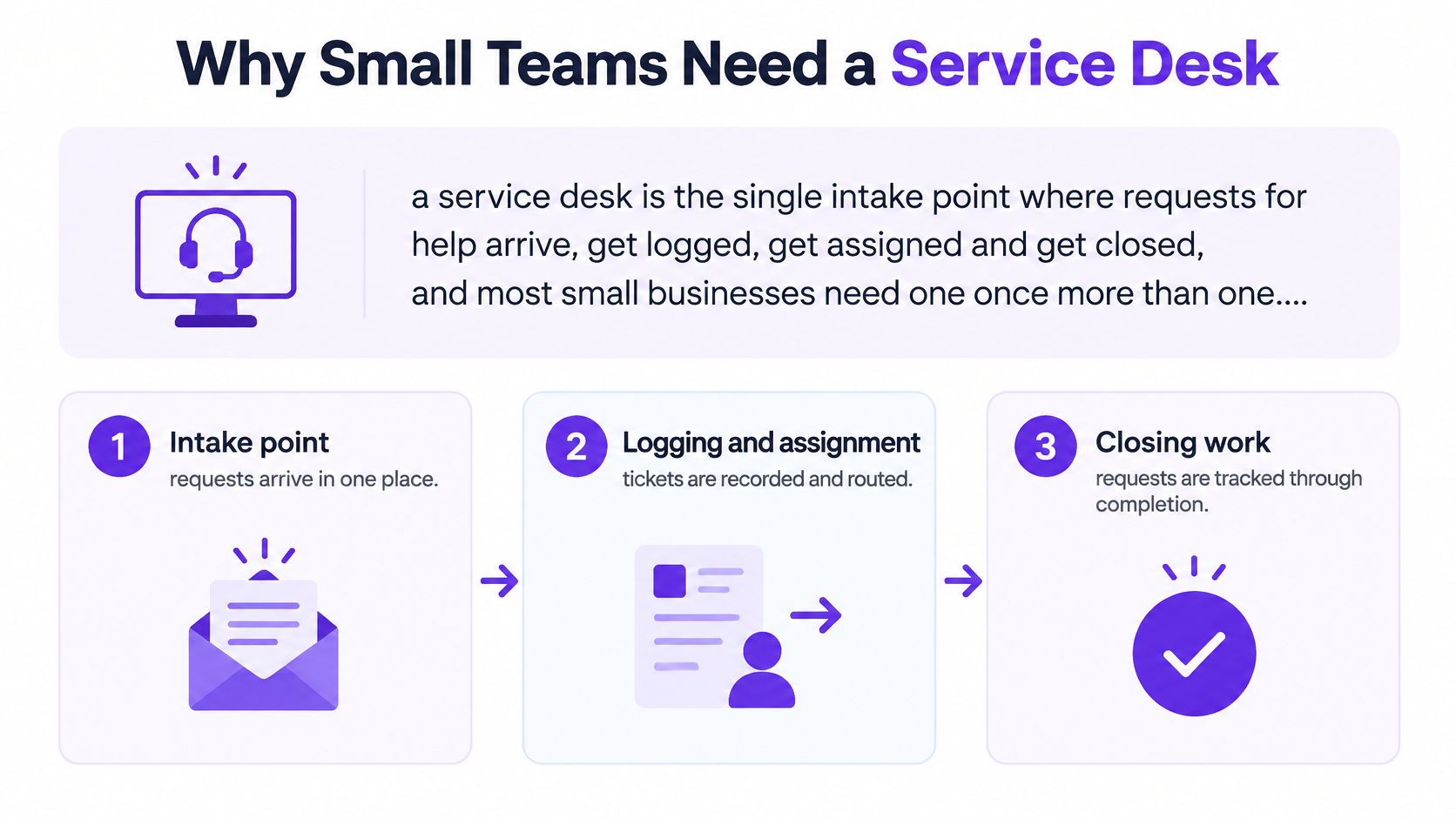
A service desk is the single intake point where requests for help arrive, get logged, get assigned and get closed. Most small businesses should evaluate one once more than one person handles support, because informal handoffs stop being a dependable record.
The same undated small-employer technology survey found that, among businesses with an employee spending at least half-time on IT, 63% had only one such employee. The owner or manager was the technical expert in 44% of businesses, an employee in 32%, and an external IT provider in 17%. These findings describe a practical problem: support responsibility often sits with someone who already has another job.
What informal support misses
Consider a hypothetical three-person office. The owner answers an email about a printer, another employee receives a chat about the same fault, and an outside technician gets a phone call. Without a common record, everyone can investigate separately, and nobody knows which fix worked.
The survey also identified serious or very serious problems with email spam filtering for 44%, hardware crashes for 40%, and backup or data loss for 37% of respondents. A ticketing platform won't repair those problems itself, but it can preserve responsibility and the work already completed.
- Shared intake: Requests become visible without forwarding personal emails.
- Searchable history: The next person can see symptoms, attempted fixes and outcomes.
- Assignment controls: A named owner remains responsible during handoffs.
- Operational visibility: The business can distinguish waiting for a supplier from waiting for an internal decision.
Practical rule: If several people answer requests, or nobody can see what was already tried, a service desk deserves evaluation now.
The useful change isn't a more formal-looking inbox. It's a record that survives an owner's absence, a technician's departure or a change of provider.
Core Features to Require Before You Buy
Must-have service desk features and what to check
| Feature | What it does | What to check before buying | Why a small team needs it |
|---|---|---|---|
| Shared ticket intake | Collects email, web form and chat requests in one queue | Confirm each channel is included in the plan tier | One record per request, no lost emails |
| Routing and assignment | Sends tickets to the right person by category | Test rules with three representative request types | Stops the owner from sorting every request |
| Priority and SLA timers | Sets response and resolution targets for P1 to P4 | Check business-hours calendars and escalation alerts | Shows when a request is at risk |
| Knowledge base | Stores answers linked to tickets | Check search, review dates and revision history | Cuts repeated questions |
| Automation rules | Acts on tickets using set triggers | Check the automation limit in the tier | Removes manual tagging |
| Reporting and exports | Shows first-contact resolution, reopen rate and escalations | Confirm CSV or API export | Allows calculations outside the vendor dashboard |
| Permissions and audit trail | Records who changed what and who sees which tickets | Check role limits and log retention | Needed when access or security tickets arrive |
| AI assistance | Summarizes tickets and suggests replies | Check whether a person approves replies before sending | Saves time while keeping control |
Intake comes before sophistication. During a demonstration, send a request through each intended channel and reply from the agent interface. Check whether the conversation remains together when the requester switches channels, rather than assuming every omnichannel label means the same thing.
Routing should reflect actual responsibilities. For a hypothetical office, access requests might go to an administrator, device faults to a technician and purchasing questions to operations. A rule that assigns everything to the owner hasn't removed a bottleneck.
Match the platform to the work
An internal IT desk may need device records, approval workflows and change management. A customer support team may instead need purchase history and customer context, making a customer service CRM comparison more relevant than a full ITSM suite.
KeenVerdict's help desk ranking covers general help desks, tools built for ecommerce brands and an IT service desk. Those categories aren't interchangeable: a retail support workflow and an employee access request need different context and permissions.
For automation, inspect failed actions as well as successful ones. Someone must be able to identify why a rule fired, correct the ticket and prevent the mistake from spreading.
AI assistance should start with human approval. Summaries and suggested replies are easier to supervise than automatic replies or closures. Sensitive requests involving permissions, security or business-critical systems should retain a clear human escalation path.
A tool that can't route, time and report on tickets within the affordable configuration fails the buying test. A paid add-on counts as part of that configuration, not as an optional future expense.
Service Levels and Metrics Worth Tracking
Directional ITSM benchmarks for service desk performance
| Metric | Typical range | Top performers | Setup note |
|---|---|---|---|
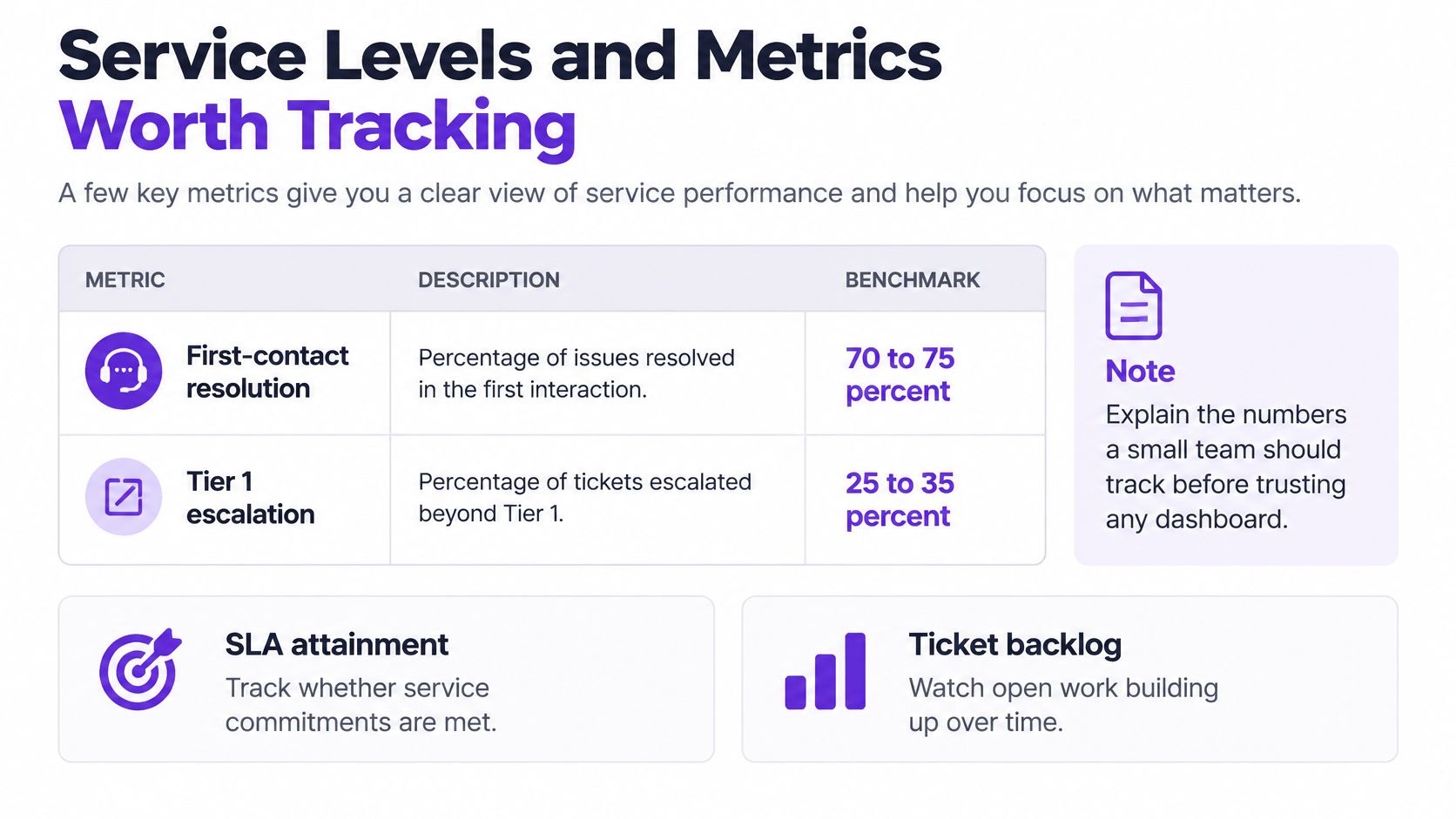
| First-contact resolution | 70 to 75 percent | Above 85 percent | Track it separately from reopen rate |
| Tier 1 escalation rate | 25 to 35 percent | Below 15 percent | Route by category to cut handoffs |
| Mean time to resolution, critical incidents | 4 to 8 hours | Under 1 hour | Set business-hours calendars first |
These ranges come from ITSM.tools' 2026 incident management benchmarks. They're directional ITSM comparisons, not ready-made commitments for a small company with different service hours, ticket complexity and staffing.
Set commitments around staffed hours
Define priorities from P1 to P4, using business impact and urgency rather than the requester's seniority. A business-wide outage belongs above an individual inconvenience, even when the latter arrives from a manager.
Attach separate response and resolution timers to each priority. The cited benchmark guidance warns that a 15-minute P1 response around the clock generally requires an on-call rotation. A lean team shouldn't promise coverage it can't staff; business-hours calendars should reflect weekends, holidays and actual availability.
- First-response SLA: Measures whether a meaningful initial response arrived within the commitment.
- Resolution SLA: Measures whether the request was resolved within its applicable target.
- Reopen rate: Reveals whether apparently completed work returns.
- Escalation rate: Shows how frequently the initial support level needs help.
- First-contact resolution: Identifies work completed without further contact or handoff.
Check how the dashboard calculates results
A dashboard can look healthy while requesters still wait. An automatic acknowledgment may stop a response timer without providing useful help, while a waiting status may pause a resolution clock indefinitely.
The software should expose configurable SLA rules, escalation notifications, audit trails and exports or APIs. The business needs to inspect what starts, pauses and stops each timer, then reproduce important calculations outside the vendor interface.
Before a trial begins, the support lead should record current reply times, reopened requests and escalation counts in a spreadsheet. Consistent definitions matter more than a polished chart: comparing a calendar-hours baseline with a business-hours trial result won't reveal whether service improved.
How a Knowledge Base Cuts Repeat Tickets
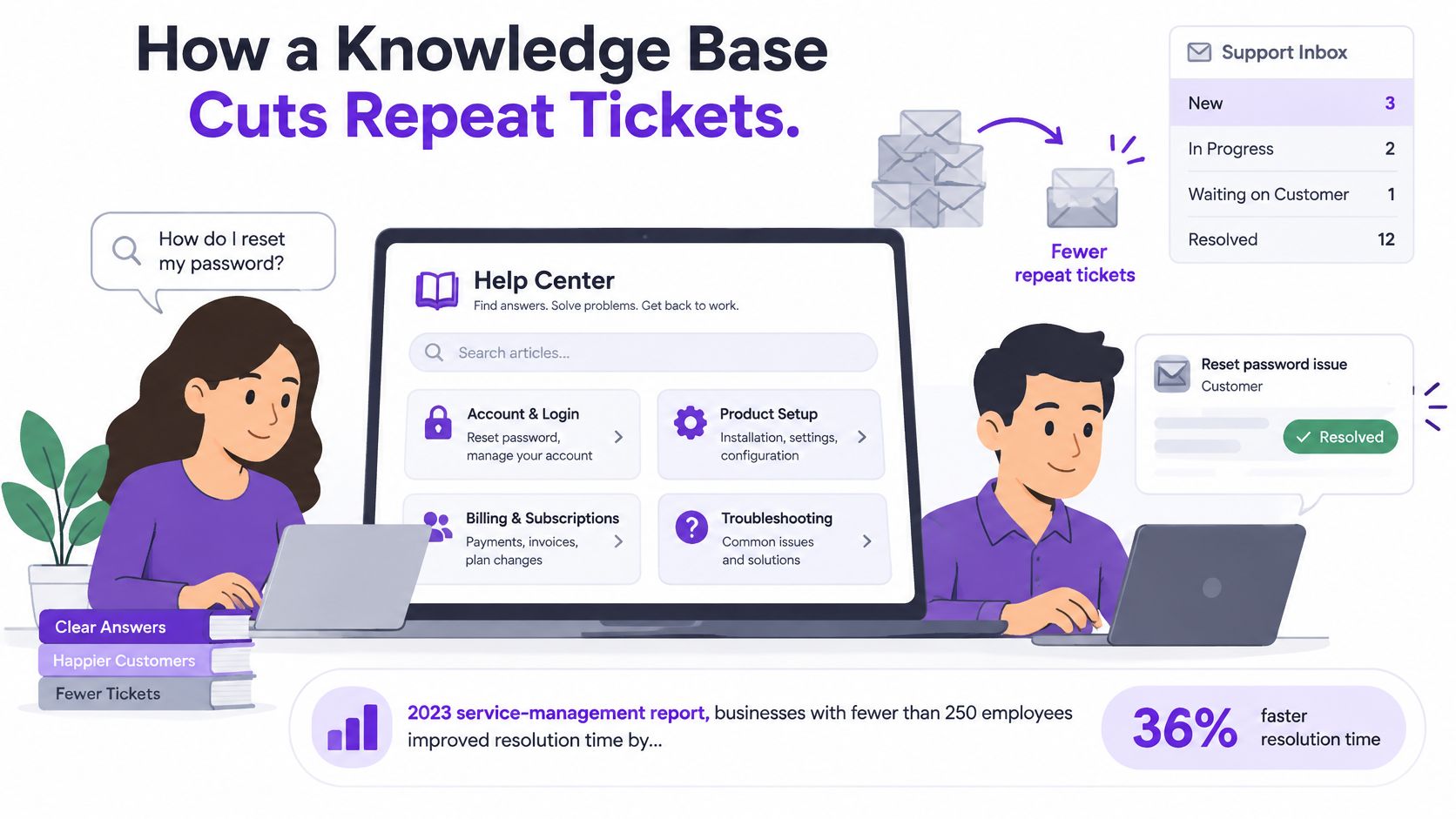
A help article pays off when customers can find it before opening a ticket and agents can use it while replying. The Freshservice Benchmark Report 2023 found that businesses with fewer than 250 employees improved resolution time by 11% after implementing a knowledge base, according to the report-2023.pdf). Treat that vendor-published result as a point of comparison, not a promised outcome.
A shared, validated answer saves agents from investigating the same question repeatedly. Version history also helps keep outdated instructions from becoming standard practice.
Publish answers where requests begin
Make articles searchable in the customer portal and available within the agent's reply workflow. Instructions stored in a separate folder can be easy to miss when a customer or agent needs an answer.
For example, if a five-person team answers the same password-reset question repeatedly, an agent can turn a resolved ticket into a short article. The agent should check it against the current authentication process and link it from the portal. Never ask users to disclose passwords or bypass identity verification.
A procurement checklist should include:
- Findability: Full-text search, article suggestions and reports on failed searches.
- Accountability: A named owner, review dates and article feedback.
- Version control: Revision history and a way to retire outdated instructions.
- Access controls: Permissions that separate public guidance from internal procedures.
- Ticket integration: A way to turn resolved requests into draft articles.
A knowledge base software shortlist can help distinguish documentation tools from systems designed for service workflows. Check whether agents can maintain articles as part of their usual ticket work.
Measure reuse rather than publication volume
Before publishing articles, record median resolution time, tickets per agent, repeat-contact rate, escalation rate and the share of tickets linked to an article. Compare these measures with the baseline once enough tickets have accumulated, and check customer satisfaction alongside agent workload.
A lower ticket count alone does not prove the articles helped. Customers may be abandoning an unhelpful article or struggling to find a contact option. Track whether issues are resolved, not just whether fewer requests arrive.
What a Five-Agent Team Pays Each Month
For five agents, the listed monthly totals range from $75 to $275, depending on the product and plan. Capterra's 2026 small-business help desk review lists these per-agent prices: Zoho Desk at $9, LiveAgent at $15, Freshdesk at $19 and HelpDesk at $29. Confirm current prices on each vendor's pricing page before budgeting.
| Product | Plan | Five-agent monthly total | Billing note |
|---|---|---|---|
| LiveAgent | Starter | $75 | Annual billing where offered |
| HubSpot Service Hub | Starter | $100 | Monthly billing |
| Help Scout | Standard | $125 | Annual billing where offered |
| Freshdesk | Omni Growth | $145 | Annual billing where offered |
| Zoho Desk | Enterprise | $200 | Annual billing where offered |
| Zendesk | Suite Team | $275 | Annual billing where offered |
These totals come from LiveAgent's comparison of vendor list prices checked October 30 to November 15, 2026, using its channel and billing assumptions. They are comparison figures, not guaranteed checkout prices.
Most help desk prices in KeenVerdict's ranking are per agent per month, so multiply the seat price by everyone who answers tickets. Backup agents count too, even if they handle few requests. Staffing capacity, not just ticket volume, determines the recurring bill.
Calculate growth before signing
Use this formula:
Monthly software cost = paid agent seats × required-tier seat price + usage charges + add-ons.
The table's LiveAgent Starter and Freshdesk Omni Growth totals differ by $70 per month, or $840 annually, before add-ons. That price gap does not settle which plan offers better value. Compare the workflows each plan includes against the work your team needs to handle.
Each additional agent adds a seat at the applicable rate. Moving to a higher tier may raise the price of every existing seat, not only the new one.
- Tier gates: Check whether routing, automation and SLA timers are included.
- Usage charges: Look for fees tied to conversations, AI actions or other interactions.
- Channel coverage: Confirm that email and chat mean the same thing in each quote.
- Commitment: Check whether monthly payments still require an annual contract.
Treat free plans as a validation option
A free plan can help establish whether the ticket workflow fits before the team commits to paid seats. Record its seat limit, included channels and the feature that triggers an upgrade. Then budget for the lowest tier that meets your must-have list at the actual headcount, rather than relying on the advertised starting price.
Choosing In-House, Managed or Hybrid Ownership
The cheapest license isn't necessarily the cheapest support operation. IT Brief Asia's report on staffing-related security gaps, whose publication year isn't established in the available source details, reports that 79% of organizations with IT teams smaller than 15 people used an MSP or managed security provider for at least one function, compared with 41% of teams with 15 to 50 employees. It also reports that 62% of surveyed IT and cybersecurity leaders said limited staffing left important security risks unaddressed.
Those findings don't mean every small company should outsource. They establish why ownership deserves a decision before software selection.
Compare responsibility, not just invoices
In-house ownership gives the business direct control over configuration, priorities and every ticket. It works when someone has allocated time for administration, reporting and ongoing process maintenance, rather than an informal expectation to fit those jobs around everything else.
Managed ownership places intake and escalation with a provider. The trade-off is dependence on the provider's operating model, contract and willingness to expose meaningful service records.
Hybrid ownership keeps selected responsibilities inside the business while a provider handles agreed areas, such as after-hours coverage or security escalation. It needs explicit handoff rules so neither party assumes the other is working on a request.
A fair cost comparison includes licenses, setup, internal administration time, provider charges and uncovered support periods. For each model, the business should identify response coverage, escalation responsibility, data ownership, onboarding work and exit arrangements.
Put transition rights in the agreement
The provider evaluation should answer:
- Administration: Who holds platform administrator access?
- Portability: Can the business export every ticket and report?
- Integration scope: Which connections are included, maintained and supported?
- Escalation: Who owns a request when the initial provider can't resolve it?
- Departure: What happens to workflows, articles, attachments and data when the contract ends?
If nobody has time to configure routing, maintain articles and review security tickets, a low per-agent price doesn't solve the staffing problem.
A managed service can be worthwhile even when the software bill is higher. Conversely, outsourcing without platform access or transition rights can make a later change expensive and disruptive.
Choosing Cloud or Self-Hosted Deployment
Cloud hosting is the practical default for most small teams, because the vendor handles the underlying platform infrastructure, updates and platform backup operations. Dataintelo reported that cloud deployment held 64.8% of the global ITSM software market in 2025, according to its global ITSM software market report.
That market share isn't proof that cloud suits every business. The relevant question is whether the organization can responsibly operate the alternative.
Check control and recovery
With cloud deployment, the vendor hosts the data and controls the update process. The buyer still needs to understand access controls, retention, recovery arrangements and export completeness; vendor backups aren't a substitute for an agreed recovery process.
Self-hosting puts the software on infrastructure the business operates. It can support specific residency or infrastructure requirements, but it also assigns server maintenance, patching, monitoring and backup verification to the business.
- Confirm storage location. Establish where tickets and attachments reside, whether a region can be selected and what contractual commitments apply.
- Inspect a complete export. Verify that tickets, comments, attachments and audit entries arrive in usable formats, with relationships preserved.
- Price the operating work. Include hosting, maintenance, backup storage and support for self-hosting, not just the license.
A cloud platform may still be unsuitable if contractual or regulatory requirements conflict with its storage or access model. Self-hosting is equally unsuitable when nobody owns patching and restore tests.
Unless a specific residency or infrastructure requirement justifies self-hosting, cloud is the sensible starting choice, with regular exports and verified recovery arrangements in place.
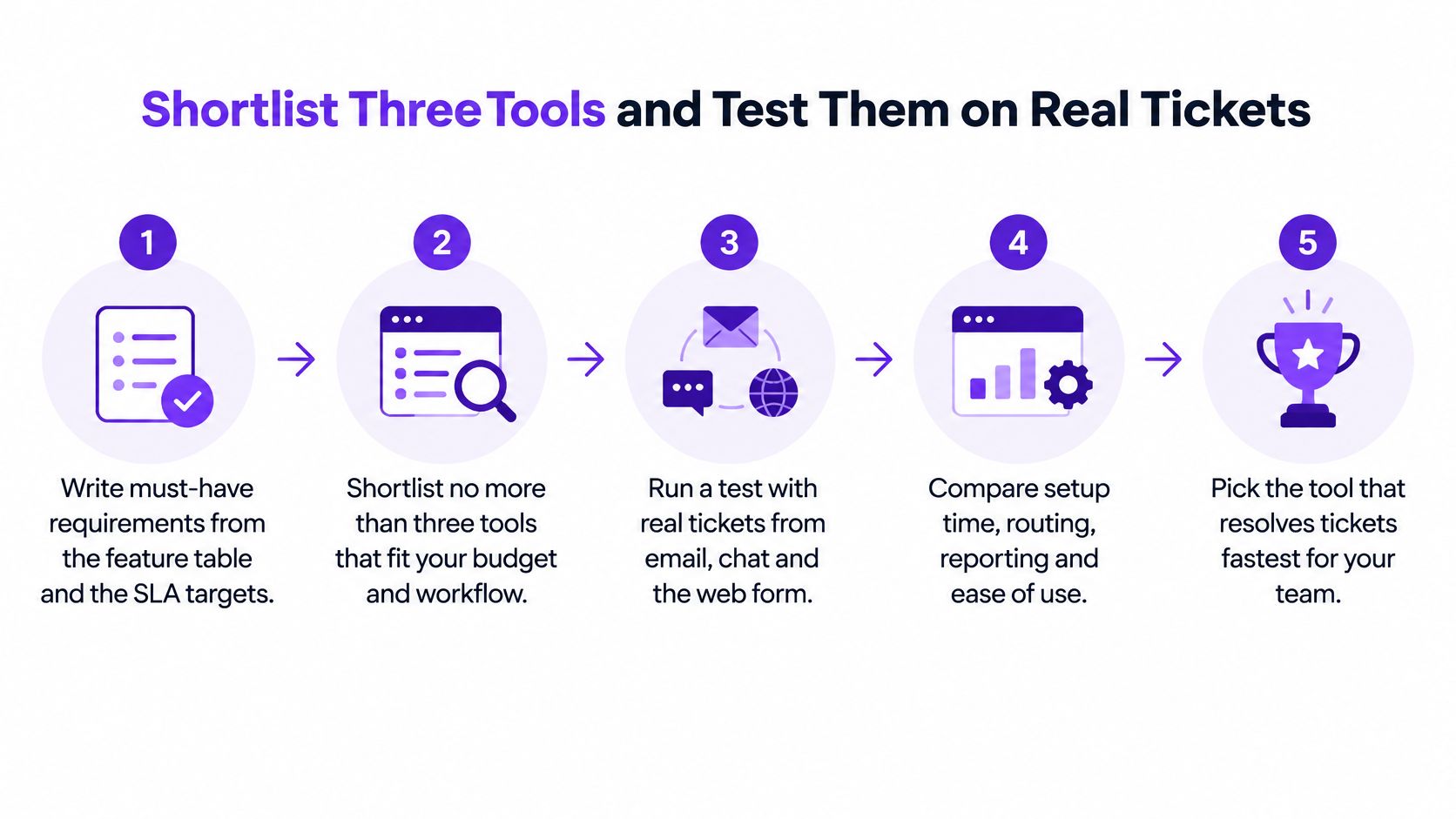
Shortlist Three Tools and Test Them on Real Tickets
A shortlist should reflect the work the team can sustain, not the number of features a vendor demonstrates. A useful trial exposes awkward handoffs, unclear permissions and administrative effort before the business commits.
- Write the must-have requirements. Record required channels, assignment rules, reporting fields and service commitments, separating necessities from preferences.
- Shortlist no more than three tools. Include only products whose affordable tiers meet those requirements and suit the actual support workflow.
- Confirm the complete price. Check each vendor's pricing page for the intended headcount and channels, recording the date, billing term and add-ons.
- Run a trial on real tickets. Plan up to thirty days where the vendor's trial terms permit, involving the people who will handle requests daily and protecting sensitive information.
- Compare results before choosing. Use consistent definitions for first-contact resolution, escalation rate and reply time, then assess administration effort alongside service outcomes.
Use rankings to narrow the field
KeenVerdict's 10 Best Help Desk Software of 2026 ranking scores 10 products, with Help Scout its top pick for small and midsize support teams. The ranking compares documented features and published prices; it doesn't claim hands-on testing.
That distinction matters. A published comparison can identify candidates, but it can't establish how a particular company's mailbox rules, approvals or customer conversations will behave.
Consider a hypothetical support lead evaluating tools for a five-person team. The lead replays the same recent, sanitized requests through two candidates, including a routine question, an access request and a ticket requiring escalation. The preferred tool produces fewer unnecessary escalations and a clearer audit trail, even if the alternative has more dashboard widgets.
Make the purchase conditional on evidence
The trial should end with a written decision, not a sales deadline. Failed requirements should remain visible, together with any workaround and the person responsible for maintaining it.
Use the software trial planning guide to organize the evaluation this week, assign a decision owner, and record the evidence before signing. Pick the tool that meets the must-have list at the lowest tier that fits the team's headcount and can be operated with the staff available.
Cite this page
KeenVerdict. Service Desk Software for Small Business: How to Choose. Updated November 23, 2026. https://keenverdict.com/service-desk-software-for-small-business
Questions or corrections: editorial@keenverdict.com