Guide · General
Customer Service CRM Software: Features and How to Choose
Customer service CRM software keeps every customer record, case and handoff in one place. Learn the core features, workflows and selection criteria.
By the KeenVerdict research desk · Updated November 18, 2026 · 13 min read
Twilio's 2025 report on conversational AI found that 78% of consumers consider the ability to switch from an AI agent to a human important, while only 15% reported experiencing a smooth handoff, and 54% believe AI agents rarely or never have enough customer context (Twilio customer service report, 2025). That single gap decides more buying outcomes than any feature grid, because it's where customers judge whether the company was paying attention.
The short answer: choose a customer service CRM by what it does to the shared customer record and by what survives an AI-to-human handoff. Ticket tags, macros and chat widgets are cheap to copy. A record that stays consistent across channels is not.
This guide also carries a bias worth stating up front. A CRM that resolves more contacts automatically but forces the customer to repeat their problem has made service worse, not better. Cost per agent and a sandbox test settle the rest.
Table of Contents
- What Customer Service CRM Software Does
- Core Features Every Service CRM Needs
- How a Refund Request Moves Through a Service CRM
- Service Metrics a CRM Should Report
- Choosing by Team Size and Budget
- Where AI Handoffs Fail and How to Test Them
- Confirm the Fit Before You Commit
What Customer Service CRM Software Does
Customer service CRM software is a CRM built around support work, not a sales pipeline with a help desk bolted on. One customer record, case tracking, service workflows and reporting, so any agent can pick up a conversation with the full history in front of them.
The category's commercial weight is easy to underestimate. Gartner-reported market-share figures cited in a 2025 analysis put total CRM vendor revenue at about $128 billion in 2024, up 13.4% from $107.5 billion in 2023. Within that, customer service and support generated approximately $43.1 billion in 2024, against $37.6 billion in 2023, growth of about 13.7% and roughly one-third of the entire market (analysis of Gartner CRM market-share figures, 2025). Marketing CRM sat at $29 billion and sales CRM at $25.7 billion.
Read those numbers as financial weight, not adoption. They count vendor revenue rather than users or installations, so they say nothing about how many teams run a service CRM or how well those teams use it.
The provenance explains the shape of today's products. CRM started as sales-force automation and later suites absorbed marketing, customer records and service operations, which is why so many platforms still feel like a pipeline with a support tab attached.
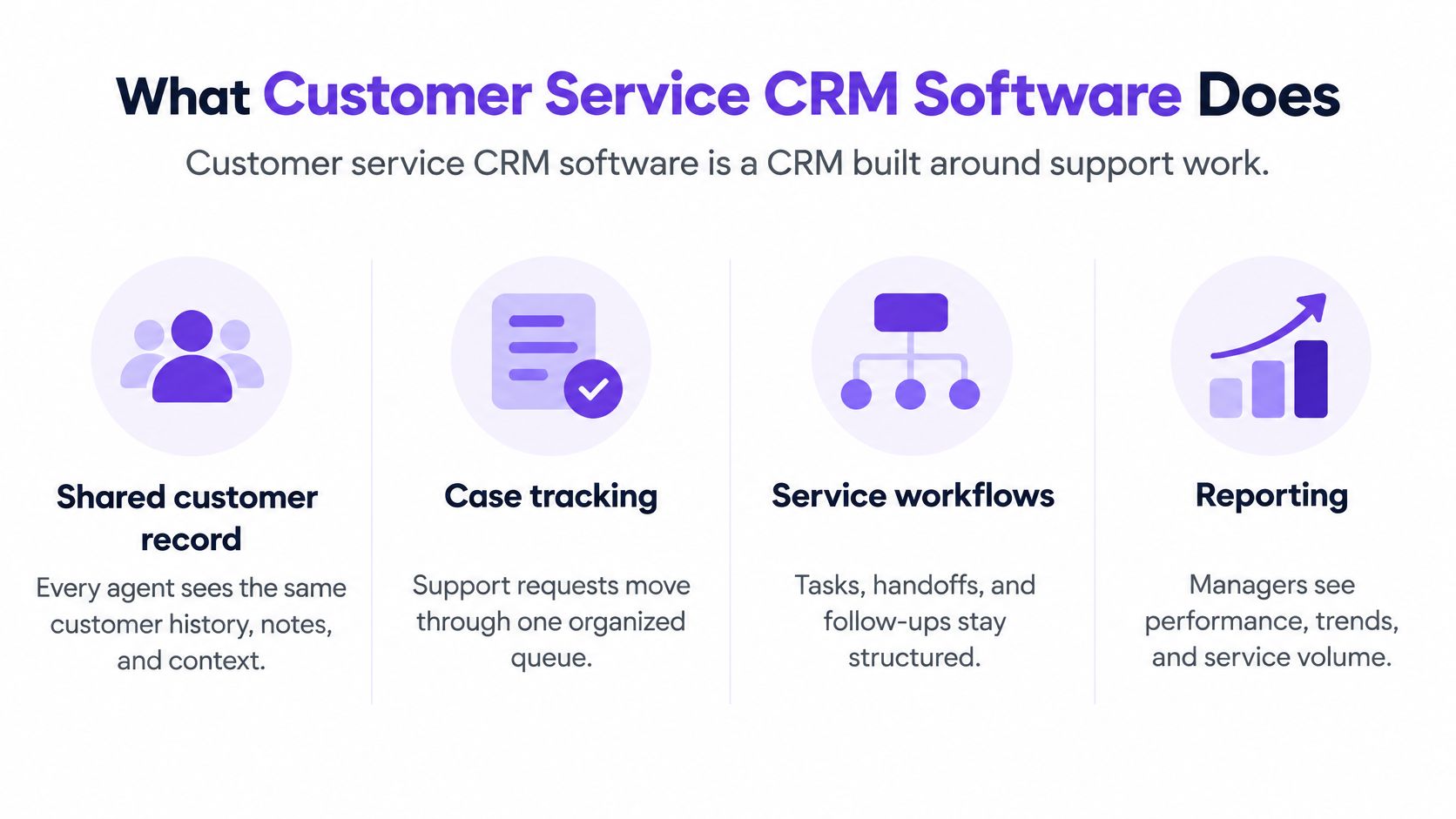
A genuine service CRM inverts the sales-first design. The case is the primary object, the customer record is the shared context, and the sale is one event in a longer history that includes delivery, returns and complaints.
Three questions decide whether a product is built for service or merely licensed to do it. Which features matter for the case types your team handles, how one case moves from intake to close, and what a team of your size can run at a cost per agent that holds up. The rest of this article answers them in that order.
Core Features Every Service CRM Needs
Feature counts are the least useful way to compare these products. Six capabilities determine whether a platform holds up under real support volume, and each has a measurable check a buyer can run before paying.
The shared record sits at the center of all six, which is why the checks below keep returning to it.
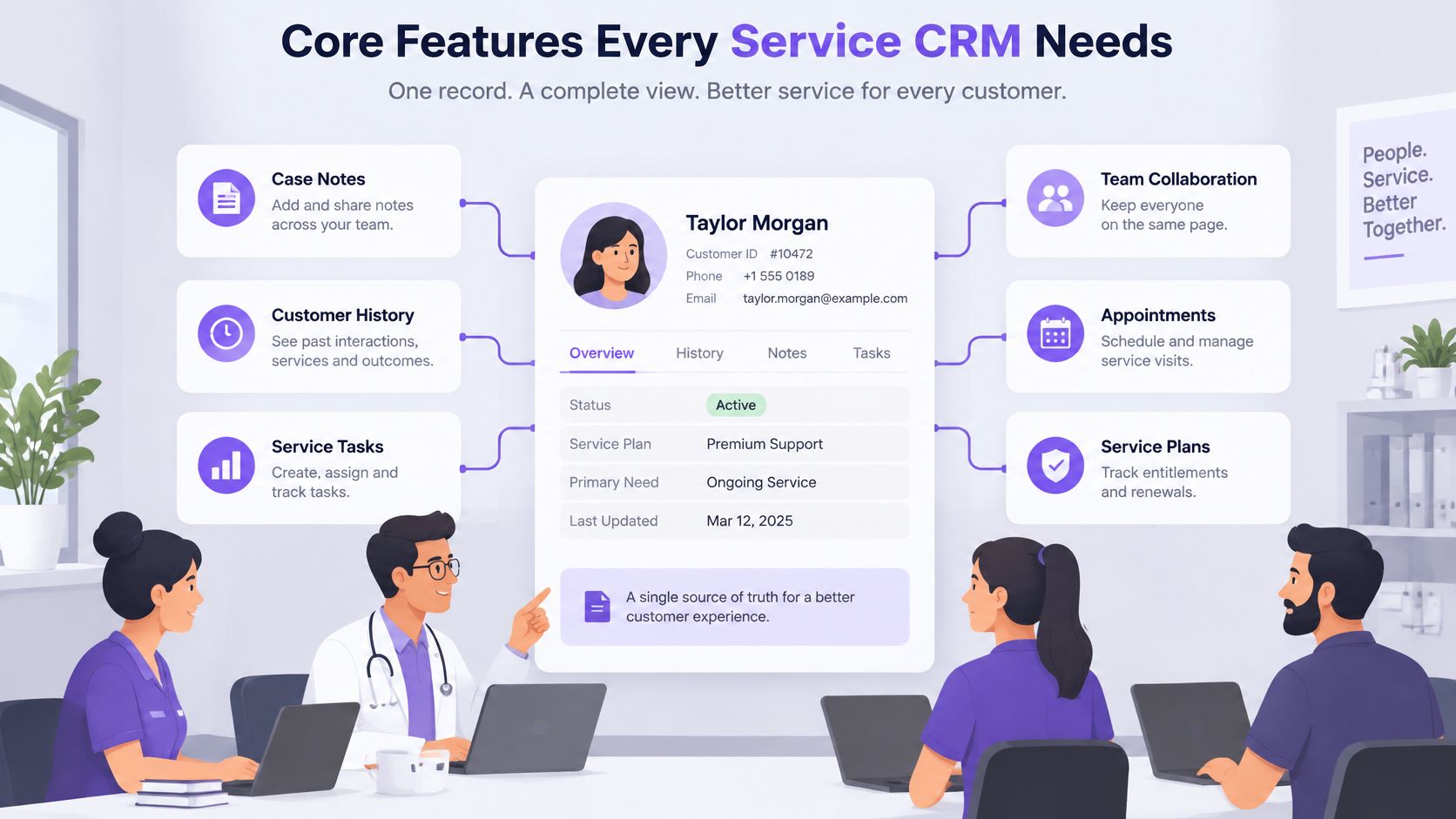
| Feature | What it does | What to verify in a trial |
|---|---|---|
| Shared customer record | One profile per customer across email, chat, phone and orders | Duplicate rate, and the share of cases linked to a verified customer |
| Case management | Tickets with owner, status, priority and full history | Whether every case has an owner and a status at all times |
| Integrations | Connects telephony, email, messaging, billing and knowledge systems | Failed synchronization events per week |
| Knowledge base | Articles that agents and customers search from the case | Share of cases resolved with an article |
| Permissions | Role-based access to customer fields and actions | Whether an agent can view fields outside their role |
| Audit trail | Log of who changed what and when | Whether a changed refund or address traces back to a named user |
The shared record is the product
Think of a hospital chart that every clinician reads and updates, so a patient never retells their history at each appointment. A service CRM is that chart, and the case is the visit. When the chart is wrong, the clinician's competence barely matters.
Data quality is not a tidiness issue. A peer-reviewed study of financial-services CRM found its model of CRM system quality was statistically significant (F=23.1, p<0.001) and explained 42% of the variance in overall CRM system quality (Journal of Database Marketing & Customer Strategy Management, 2012). Duplicate customer records, inconsistent identifiers, incomplete interaction histories and disconnected channels degrade routing, personalization, reporting and escalation decisions.
Practical rule: if two records can exist for the same person, every number downstream is wrong by an amount nobody can calculate.
Before signing, confirm the platform supports a canonical customer identifier, deduplication rules, field-level validation, audit trails, synchronization monitoring and named ownership of master data. Then watch duplicate rate, required-field completeness, failed sync events and the share of cases tied to a verified customer and transaction.
What to verify before you pay
Speed is a requirement, not a marketing benefit. HubSpot's March 2024 survey of 1,537 customer-experience leaders found more than half said customers expect problems to be resolved within three hours or less, and 71% reported that customers want an independent path to resolution (HubSpot State of Service, 2024). That translates into hard requirements: ticket prioritization, SLA timers, knowledge-base search, a customer portal and workflow automation. A contact database alone fails all five.
Access is the other half of the permissions row. More than half of consumers consider ease of access a critical part of good service, and over one-third are frustrated by barriers involving service hours, language, human-agent access or limited contact options. Approximately 1.3 billion people, roughly one in six globally, experience significant disabilities, yet fewer than half of organizations are prepared for AI-powered customer service (Capgemini customer service transformation research, 2025). Ask vendors about screen-reader compatibility, multilingual quality, consent controls and whether customer data trains an external model.
How a Refund Request Moves Through a Service CRM
A customer orders a jacket, the delivery arrives four days late, and they open chat to ask for a refund. Seven stages carry that request from a message to a closed case, and each one exposes a different weakness in a CRM that wasn't built for service work.
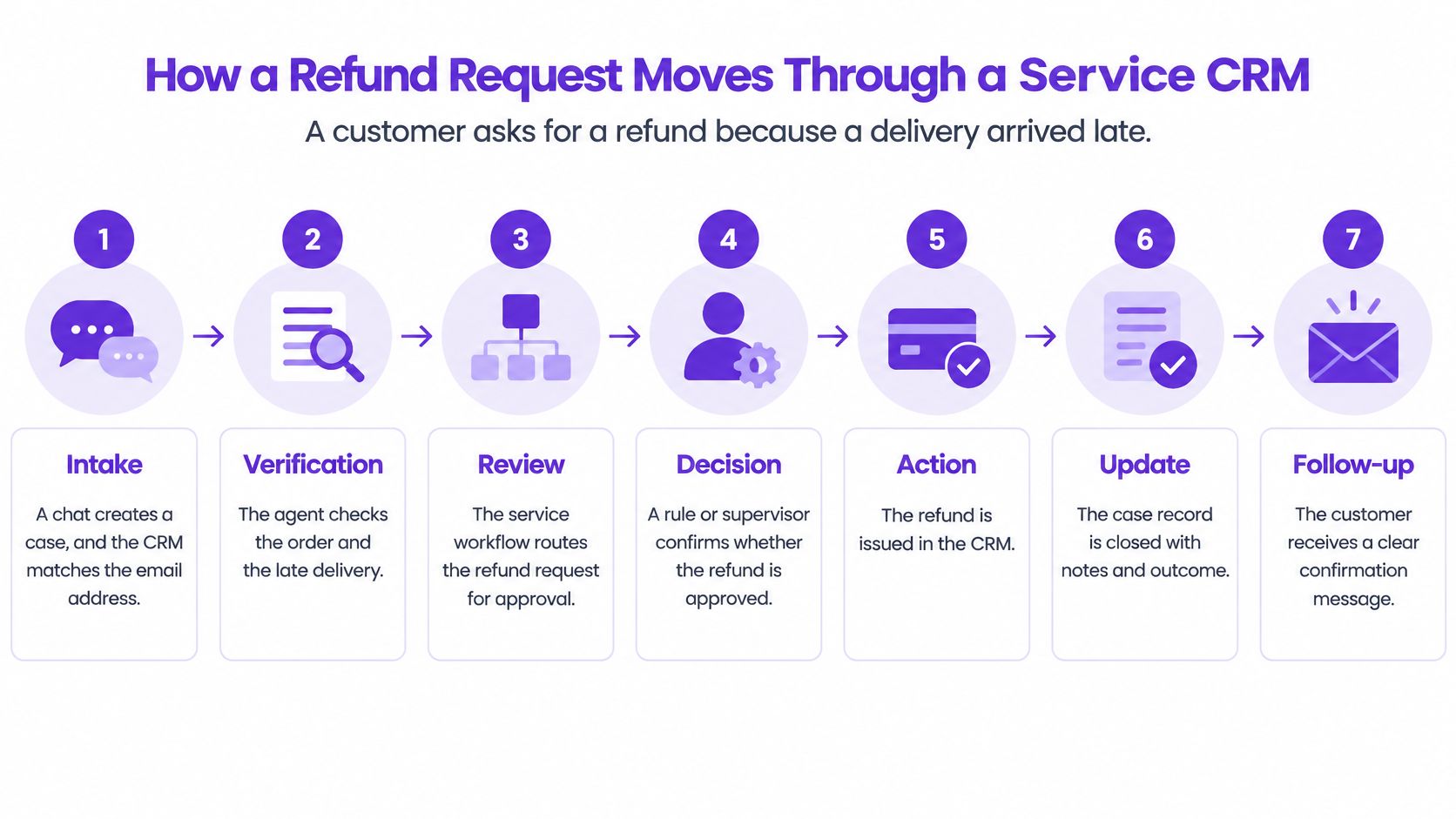
- Intake. The chat creates a case, and the CRM matches the email address to an existing customer and to the specific order. Without that match, the agent runs a manual lookup in the order system while the customer waits on the other end of the chat.
- Verification. The system confirms identity and checks the purchase date against the refund policy. Keep policy logic in a spreadsheet and the answer changes by agent and by day, which is how refund disputes start.
- Routing. A rule sends refunds above a set amount to a team lead and smaller ones to the general queue. Skip the rule and every routine refund sits behind the expensive disputes in one undifferentiated pile.
- Timers. A response timer starts according to ticket priority, so a stalled case surfaces in a queue view before the customer chases it. With no timer, cases age until someone complains on a public channel.
- Approval. A person signs off. Refunds, cancellations and regulatory complaints are exactly the actions that shouldn't run on model output alone. Where approval happens in a side conversation, the audit trail vanishes.
- Update. The order and billing records change in one step, and a confirmation reaches the customer. Updating billing in a separate system creates two records that disagree within a week, and reconciliation lands on the support team.
- Close. The case closes with a resolution code, and a satisfaction survey is logged against the interaction. Without the code, reporting can't separate late-delivery refunds from the rest of the queue or show whether the fix worked.
Test rule: if the refund can be issued without a person approving it, the CRM has a governance gap, not an automation win.
Map your own top case onto these seven stages, whether it's a refund, a complaint or a replacement, and mark which stages must run automatically and which need a human decision. The split you write down becomes the specification you take into a trial.
Service Metrics a CRM Should Report
Service organizations measure three different things, and a platform that reports only one of them hides the other two. Satisfaction and response speed are the numbers already tracked. First-contact resolution is the metric most often missing, and it is the one that shows whether the shared record helped the agent finish the job.
| Metric | What it shows | What a useful report lets you do |
|---|---|---|
| Customer satisfaction | Whether the resolution left the customer satisfied | Compare scores across channels and queues |
| Average response time | How quickly the first reply arrives | Filter speed by agent and time window |
| First-contact resolution | Whether the issue closes on the first contact | Split AI-resolved cases from human-resolved ones |
Why speed and resolution are not the same number
A fast first reply can still leave the issue open for a week, so a comparison that publishes only response time gives an incomplete view of service quality. First-contact resolution measures something different: whether the agent had the record, the permission and the knowledge to finish in one pass. Push for all three in any demo.
The dashboards should reflect that distinction. Look for separate panels for response speed, satisfaction and first-contact resolution, each filterable by channel, queue, agent and time window, without an export to a spreadsheet to make them usable.
Automation needs its own split. Cases resolved by AI should be reported separately from cases resolved by people, because a blended chatbot percentage hides whether the automated contacts closed well or just closed. A rising automation rate alongside falling satisfaction means the AI closed the ticket without solving the problem.
KeenVerdict's customer support statistics page gathers benchmark figures for these metrics, most of them from United States surveys with UK, Australian and global comparisons, describing 2025 and 2026. Use it as an external reference point for your own numbers.
Run one reporting test in the demo: ask the vendor to show all three metrics on sample data, export them to CSV, and filter by a single queue. If that takes a support ticket to the vendor, the reporting won't survive contact with a busy month.
Choosing by Team Size and Budget
Adoption splits sharply by headcount, which means the criteria a 12-person team should apply are not the criteria a 600-person division should apply. Eurostat figures summarized by StatisticsGlobal.org show 28.5% of EU enterprises with at least 10 employees used CRM software in 2025 (StatisticsGlobal summary of Eurostat CRM data, 2025).
| Business size | Using CRM in 2025 | Rise since 2023 | Evaluate first |
|---|---|---|---|
| Small, 10 to 49 staff | 24.7% | 2.4 percentage points | Setup effort, low-cost tier and per-agent price |
| Medium, 50 to 249 staff | 43.8% | 4.2 percentage points | Integrations, admin roles and shared reporting |
| Large, 250 or more staff | 65.4% | 4.8 percentage points | Permission depth, API access and compliance controls |
Those are EU figures, so a US team should check its own data before treating them as a benchmark. The pattern still holds: small firms adopt at roughly a third of the large-firm rate, and the gap barely moved in two years.
A small team should judge a product on how many days setup takes, whether it replaces the shared inbox outright, and what the entry tier costs per agent. Copying an enterprise requirements list is how small teams end up paying for workflow builders they never open. Medium firms need integrations, admin roles and reporting several teams can share. Large firms need permission depth, API access and compliance controls, and those are the items where cheap tiers stop working.
Cost per agent, done properly
Most help desk prices are quoted per agent per month, so the number of people who answer tickets has to be multiplied in, not estimated once. Eight agents on a plan priced at $25 per agent per month come to $200 a month, or $2,400 a year before add-ons. That $25 is arithmetic for the example, not a quoted vendor price, so replace it with the vendor's current published rate and the date it was checked before you budget.
Monthly cost equals agents multiplied by per-agent price, plus add-ons such as AI resolution fees, extra storage or premium support. Add-ons are where the annual figure usually doubles.
The shortlist test is four questions. Can the team be live in days rather than quarters, do customer and ticket records sit in one place, does it integrate with email and the order system, and what does the cost per agent become after add-ons?
Where AI Handoffs Fail and How to Test Them
Judge AI features in a service CRM on completed work, not conversation quality. A reply that reads well and a case that never gets updated are the same outcome to the customer, who is now waiting longer for a human.
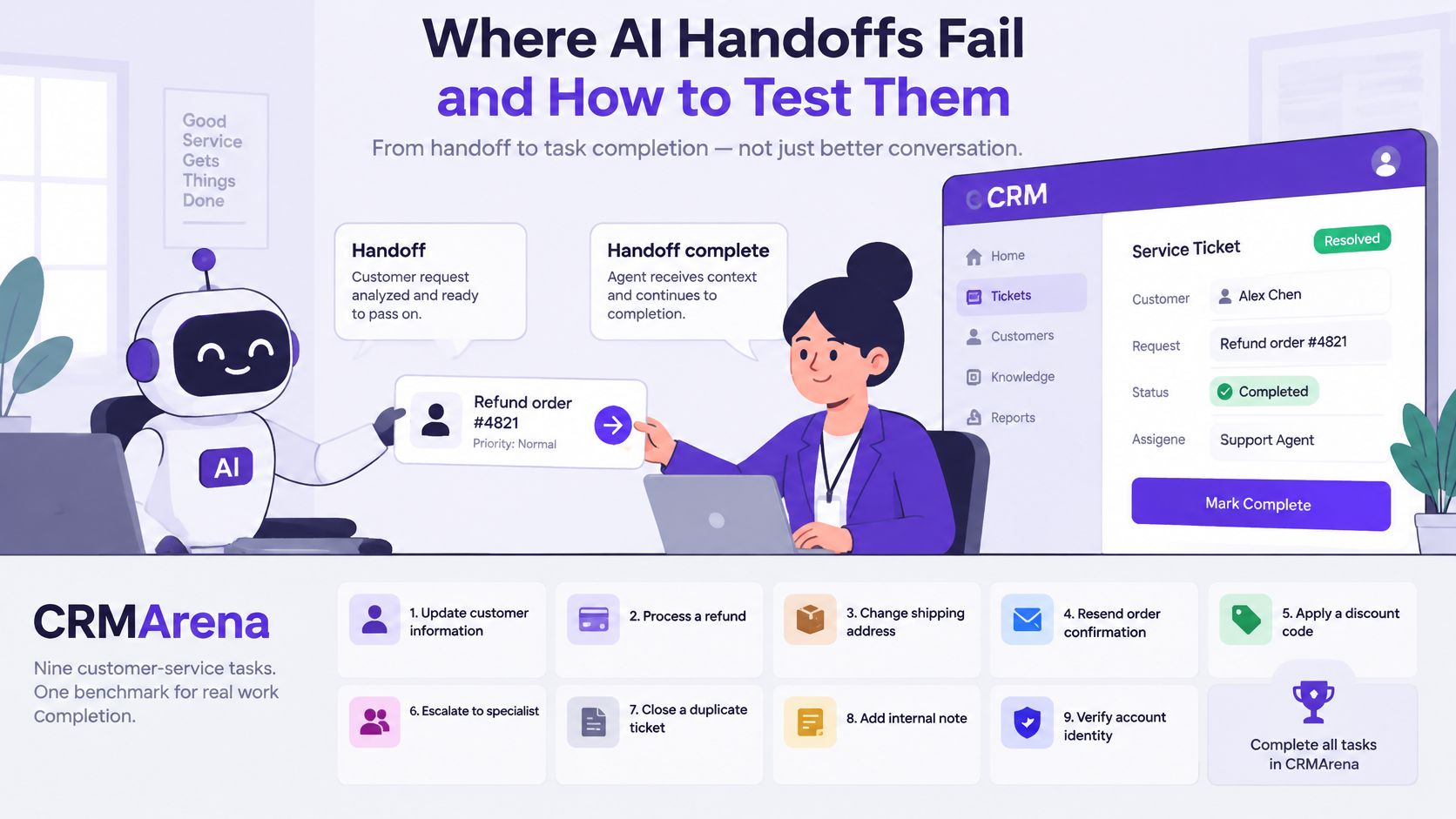
The CRMArena benchmark models realistic service work across nine customer-service tasks and 16 interconnected CRM objects, including accounts, orders, cases and knowledge articles. State-of-the-art language-model agents succeeded on fewer than 40% of tasks with ReAct prompting and below 55% even when function calling was available (CRMArena benchmark analysis).
The failure pattern is consistent. The agent produces a plausible answer while failing to update the case, apply a policy, retrieve the correct order or respect a business rule. Function calling improves the odds. It doesn't remove the failures.
Integration quality decides how much of that you can fix. Salesforce's seventh State of Service report says organizations with integrated service-channel data were 1.4 times more likely to describe their AI implementation as very successful than organizations with siloed systems, and service professionals expected AI to resolve 30% of cases in 2025 and 50% by 2027, a projection rather than a result (Salesforce State of Service, seventh edition). A unified record, cross-channel history, permission controls and escalation rules are the prerequisites, not the extras.
A four-part sandbox test
Ask for a sandbox with representative data and run these in order.
- Refund restriction. Submit a refund outside policy and confirm the rule fires, the agent is blocked, and the attempt is logged.
- Multi-object update. Change a case, order and account record in one flow, then check rollback when the last step fails.
- Mid-conversation handoff. Interrupt the AI mid-thread and confirm the transcript carries over, identity verification isn't repeated, vulnerable or angry customers escalate, routing lands with the right queue, and the human can take control.
- Attribution after the handoff. Check whether reporting separates AI-resolved cases from human-resolved ones and records who closed the case.
Measure task-completion accuracy, tool-call validity, policy adherence and rollback behavior. Response quality ranks last, because it's the easiest thing for a demo to fake. Production designs should add schema validation, authorization checks, deterministic rules for high-risk actions and human approval for refunds and cancellations.
Non-negotiable: no AI feature should be able to move money without a human approval step behind it.
KeenVerdict's AI customer service chatbots ranking compares these tools on documented capability, and KeenVerdict's AI customer service statistics page gathers the figures a buyer needs before paying for an agent, chatbot or agent-assist tool. Vendor-reported figures on that page use each company's own definitions and are not independently audited, so check every number against its named source and year.
Confirm the Fit Before You Commit
The decision rule comes first. Choose the product that completes your top three workflows at the lowest cost per agent after add-ons, and reject anything that fails the handoff test, however strong its feature list looks on paper.
That rule exists for a reason. A 2006 study published in the Journal of Database Marketing & Customer Strategy Management reported that only 31% of 202 CRM projects had improved organizations' ability to sell and service customers (Journal of Database Marketing & Customer Strategy Management, 2006). Two decades of tooling later, the constraint is still implementation, not feature availability.
Shortlist no more than three products whose documented features cover the criteria that matter to you: a shared record, the workflows your top case types need, the three reporting metrics, and a handoff path for AI. KeenVerdict's 10 Best Help Desk Software of 2026 ranking scores 10 products on the same three scores out of 10 and is written for support leads, founders and operations managers moving off a shared inbox or replacing a ticketing system. KeenVerdict compared documented features and published prices for that ranking and did not run hands-on tests, which is exactly why your own trial is the final check.
Then run the trial like a project, not a demo tour.
- One real workflow. Use your refund, complaint or replacement case end to end, not the vendor's sample data.
- The actual users. The people who answer tickets daily run the test, not the person signing the contract.
- Fourteen to thirty days. Long enough to cover a full weekly cycle and one busy day.
- A score sheet. Rate each product against the three metrics and the four-part handoff test before the trial ends, while the evidence is fresh.
- A cancellation date. Set it on day one, in a calendar, with a reminder three days before.
A structured trial sequence keeps the comparison honest; KeenVerdict's guide to how to run a software trial walks through the order of steps from sandbox setup to the go or no-go decision.
Book sandboxes with your three shortlisted products this week and run the late-delivery refund case through all seven stages, including a mid-conversation AI handoff, before anyone signs a contract. Score each run on duplicate rate, failed sync events, the three reporting metrics and the four handoff checks, then price the winner per agent with add-ons included. KeenVerdict's help desk ranking gives you a documented starting shortlist, and the trial guide gives you the sequence for the 14 days that decide the purchase.
Cite this page
KeenVerdict. Customer Service CRM Software: Features and How to Choose. Updated November 18, 2026. https://keenverdict.com/customer-service-crm-software
Questions or corrections: editorial@keenverdict.com